Fix Crawl Errors & Improve Site Crawlability
Expert reviewed

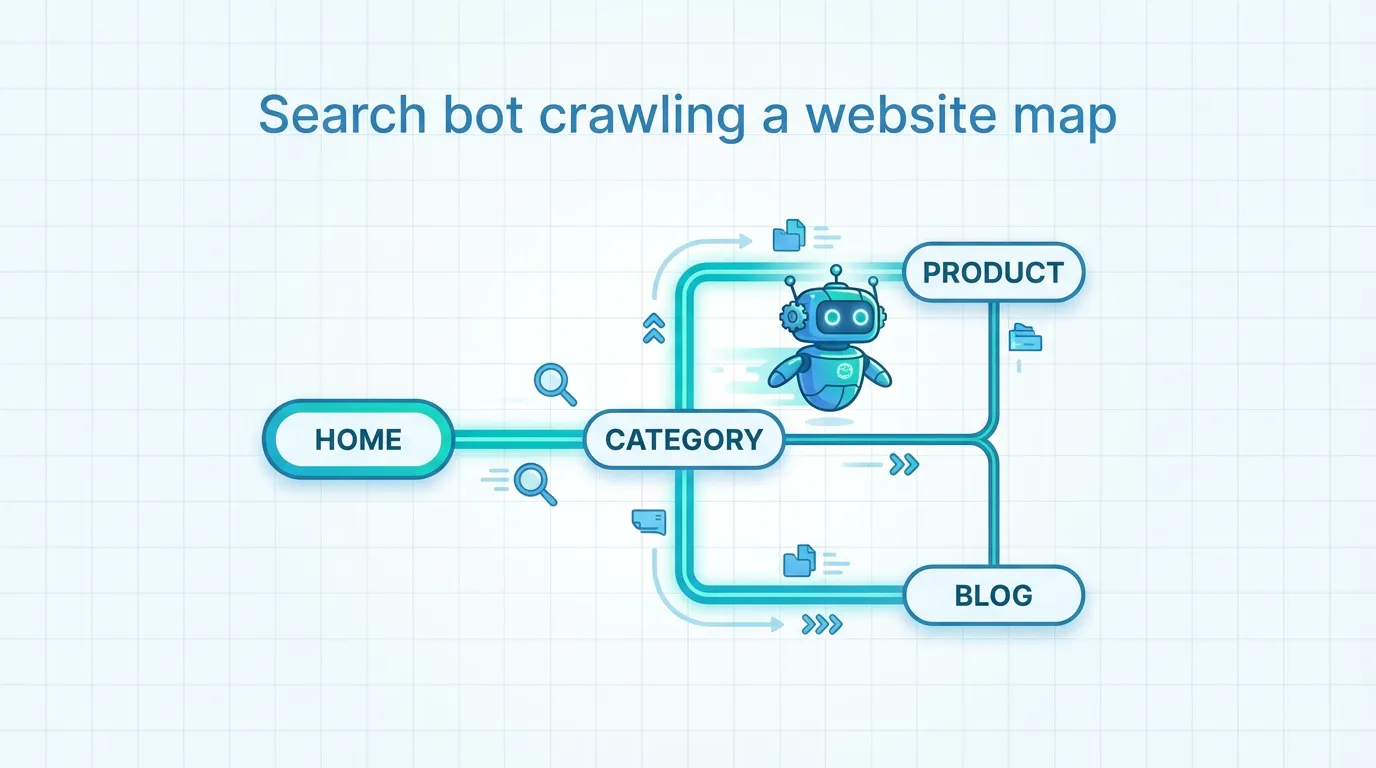
Crawl access problems are one of the fastest ways to cap SEO growth: pages may exist, but search engines cannot consistently discover, fetch, render, and index them. For marketing and operations teams, that often shows up as slow indexing, missing category or regional pages in search, and content that never turns into inquiries.
This how-to guide walks you through a practical, prioritized workflow to diagnose and fix crawl issues, including robots.txt issues, crawl errors, and blocked resources, without trying to fix everything at once.
1) Map the crawl pipeline (so you fix the right layer)
Before changing files or redirect rules, align your team on where the failure happens. Modern search engines typically follow this sequence: discover URLs, check robots rules, fetch HTML, render (often executing JavaScript), then decide whether to index.

Use this mental model to avoid common mistakes, like treating an indexing issue as a crawl problem (or blocking a page in robots.txt when you actually wanted it de-indexed).
If you need official definitions to align stakeholders, Google's crawling and indexing overview is the cleanest reference: Google crawling and indexing documentation.
2) Diagnose fast with Google Search Console (what to look at first)
Google Search Console is your quickest source of truth for what Google could not fetch, what it excluded, and where it slowed down.
A high-signal triage checklist:
- Pages report: clusters like "Server error (5xx)," "Not found (404)," "Soft 404," "Redirect error," and "Blocked by robots.txt."
- Crawl Stats: spikes in response time, a rising percentage of 5xx, or sharp drops in crawl requests.
- URL Inspection: confirms whether a specific URL is blocked, fetchable, and renderable.
Helpful references:
- Robots basics and testing: Google robots.txt introduction
- Crawl budget concepts (especially for large catalogs): Google crawl budget explanation
- Crawl error background (older but still useful for concepts): Google crawl errors overview
Practical tip for busy teams: export affected URLs and group them by template (product, category, blog, language folder). Fixing one template bug often resolves thousands of URLs.
3) Fix robots rules without accidentally hiding revenue pages
Robots rules are powerful, but they are also a common source of unintended visibility loss. Focus on two outcomes: (1) important sections are crawlable, and (2) low-value sections do not waste crawling.
Common robots misconfigurations to check
- Entire site blocked (for example, a global disallow rule).
- Important folders blocked (blog, product, category, or region/language directories).
- Rendering assets blocked (CSS or JS directories), which can prevent correct rendering.
- Using robots rules as a de-indexing method, which often backfires because blocking prevents crawlers from seeing a page-level noindex directive.
Google notes that robots rules control crawling, not guaranteed removal from the index. For pages you want excluded from search, use noindex on the page (or via headers) instead: Google guidance on blocking indexing with noindex.
What to allow vs. block (simple defaults)
| Area | Usually allow for crawl | Usually restrict | Why it matters |
|---|---|---|---|
| Core pages | Homepage, category, product, core service pages, key regional pages | None | These pages drive rankings and inquiries. |
| Assets needed for rendering | CSS, critical JS bundles, images used for main content | Non-essential tracking scripts if they are not required for rendering | Blocking essentials can break rendering and reduce indexing quality. |
| Low-value pages | None | Internal search, cart, checkout, account, admin | Prevents wasting crawl capacity on non-search pages. |
| Parameterized URLs | Canonical pages | Certain infinite combinations of filters and tracking parameters | Helps reduce duplicate crawls and index bloat. |
If you need a practical checklist of common robots pitfalls, see: Search Engine Journal's robots issue guide.

4) Resolve crawl errors and blocked resources in priority order
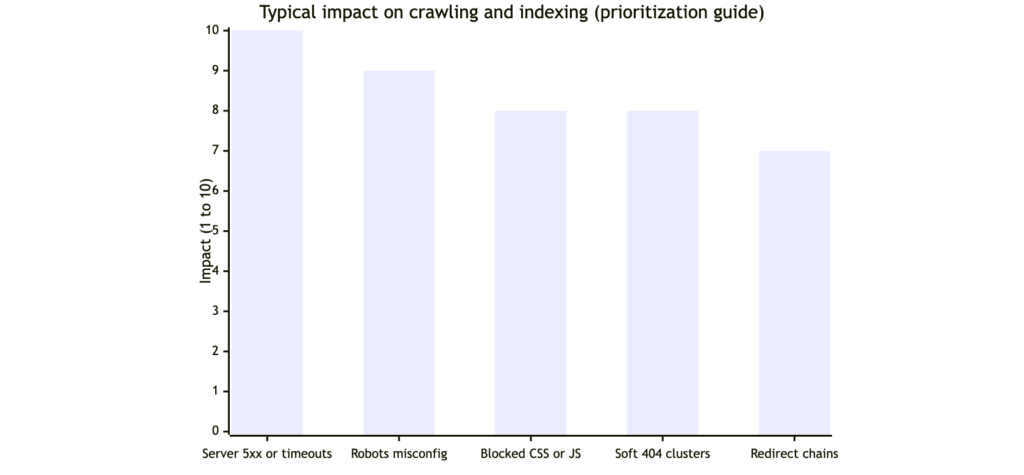
Not all errors are equally urgent. A few high-impact patterns can suppress crawling across the whole site, especially on large catalogs or multi-region builds.
Priority order that usually drives the biggest gains
- Server instability (DNS, repeated 5xx, timeouts): Google reduces crawl activity when a site is unreliable.
- Accidental blocking: robots rules or authentication blocks on key templates.
- Critical render failures: essential CSS/JS blocked, causing incomplete rendering.
- Redirect chains and loops: wastes crawling and weakens internal signals.
- Large-scale soft 404 patterns: thin or empty pages returning 200 OK.
To validate whether resources are blocked, use a crawler report that explicitly flags blocked resources. Screaming Frog documents what "External Blocked Resource" means and how it is detected: Screaming Frog blocked resource explanation.
A practical fix-and-verify loop
- Confirm the issue cluster in Search Console (Pages report or URL Inspection).
- Reproduce it with a full-site crawl (so you see patterns by template).
- Apply the smallest safe change (for example, unblock a directory, fix one redirect rule, repair one shared component).
- Re-test a sample set of URLs in URL Inspection, then monitor Crawl Stats for improvement.
5) Improve crawl efficiency with architecture, internal linking, and international setup
Once urgent blockers are removed, the next gains usually come from making important pages easier to discover and re-crawl.
Architecture and internal links (what to change)
- Keep key pages within roughly three clicks from a hub page, not buried in deep navigation.
- Reduce orphan pages by ensuring every important URL is linked from at least one relevant hub and included in a clean sitemap.
- Use descriptive internal anchors so the site's topic structure is clear to crawlers.
Sitemaps, canonicals, hreflang (international sites)
Export-focused sites often struggle because language and region versions drift over time. Three rules prevent many problems:
- Sitemaps should list canonical, indexable URLs only: Google sitemap management
- Canonicals must not point to blocked or noindexed URLs (this can silently break indexing signals).
- Hreflang targets must be crawlable and indexable, otherwise international targeting collapses: Google hreflang guide
When JavaScript is involved
If key content or links appear only after client-side rendering, indexing can be delayed. Consider server-side rendering or pre-rendering for priority templates, and ensure essential JS resources are accessible. For a clear explanation of how Google processes JavaScript, see: Vercel's breakdown of Google and JavaScript indexing.
Next steps (turn fixes into measurable SEO progress)
A crawl-friendly site is not the end goal. It is the foundation that lets your best pages get discovered quickly, indexed correctly, and updated reliably across the US, Europe, and APAC.
If you want a clear action plan (not a long list of low-priority issues), SeekLab.io typically approaches this in phases:
- Stabilize and unblock critical sections first.
- Then improve structure, internal links, and sitemap hygiene.
- Then optimize rendering, performance, and international consistency.
Get a free audit report, contact us, and leave your website domain so we can pinpoint which crawl barriers are actually limiting growth and which can be deprioritized.