Technical JavaScript SEO & Indexing Solutions
Expert reviewed

Modern frontends can make a site feel fast and interactive for users, while quietly making key pages hard for crawlers to fully understand. If you are evaluating a specialist to fix indexing and performance on a JavaScript-heavy stack, this tutorial explains what to check, what to prioritize, and how rendering choices (plus hydration and prerendering) affect real SEO outcomes.
Why JavaScript-heavy sites need a different SEO playbook
JavaScript SEO problems typically show up as business symptoms, not code bugs:
- Important pages are "Discovered" but not consistently indexed.
- Titles, canonicals, or structured data look correct in the browser, but differ in "view source".
- Internal links exist visually, yet crawlers do not follow them (because they are attached to click events instead of real URLs).
- Core Web Vitals stay weak because hydration and third-party scripts add delay.
The reason this happens is not that JavaScript is "bad" for SEO. It is that rendering adds extra steps, extra failure modes, and extra delays. Google can render JavaScript, but you still need to prove that critical signals are available reliably and early. Google's own guidance stresses making key content and resources accessible for crawling and rendering, and validating results in Search Console tools like URL Inspection (see Google's documentation on JavaScript SEO basics).
How Google processes JavaScript (and where indexing breaks)
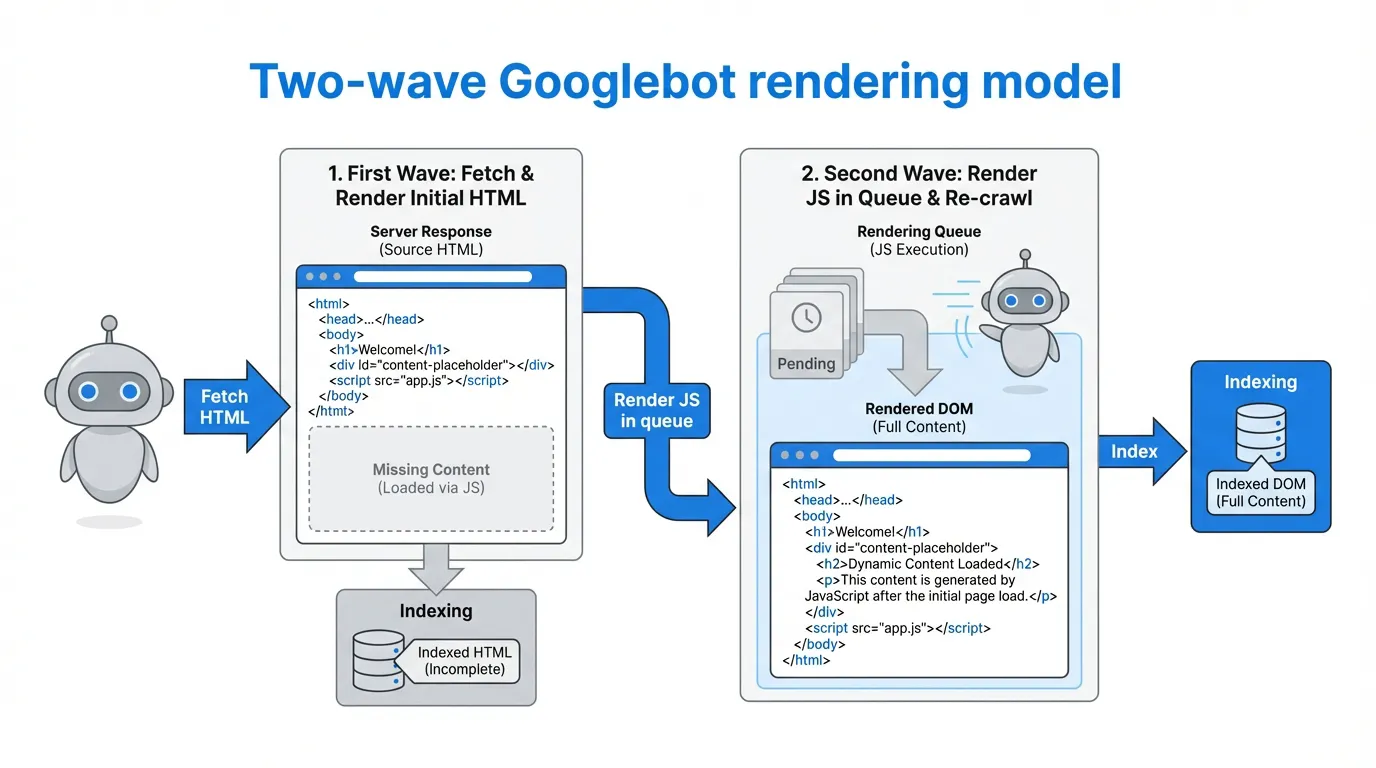
Google describes a two-phase workflow for JavaScript pages:
- Initial crawl of the HTML response: Googlebot fetches the URL and parses what is immediately in the HTML.
- Queued rendering: the page may be rendered later in a headless Chromium environment, then the rendered output can update indexing signals.
This "two-wave" reality matters because many teams place critical SEO elements in client-side code, such as:
- Canonical tags and robots meta
- Hreflang tags for international targeting
- Structured data
- Primary content and internal links
If those are missing (or inconsistent) in the initial HTML, you can get partial indexing, unstable snippets, or delayed discovery. For foundations and validation steps, Google's SEO Starter Guide is also a useful baseline reference.
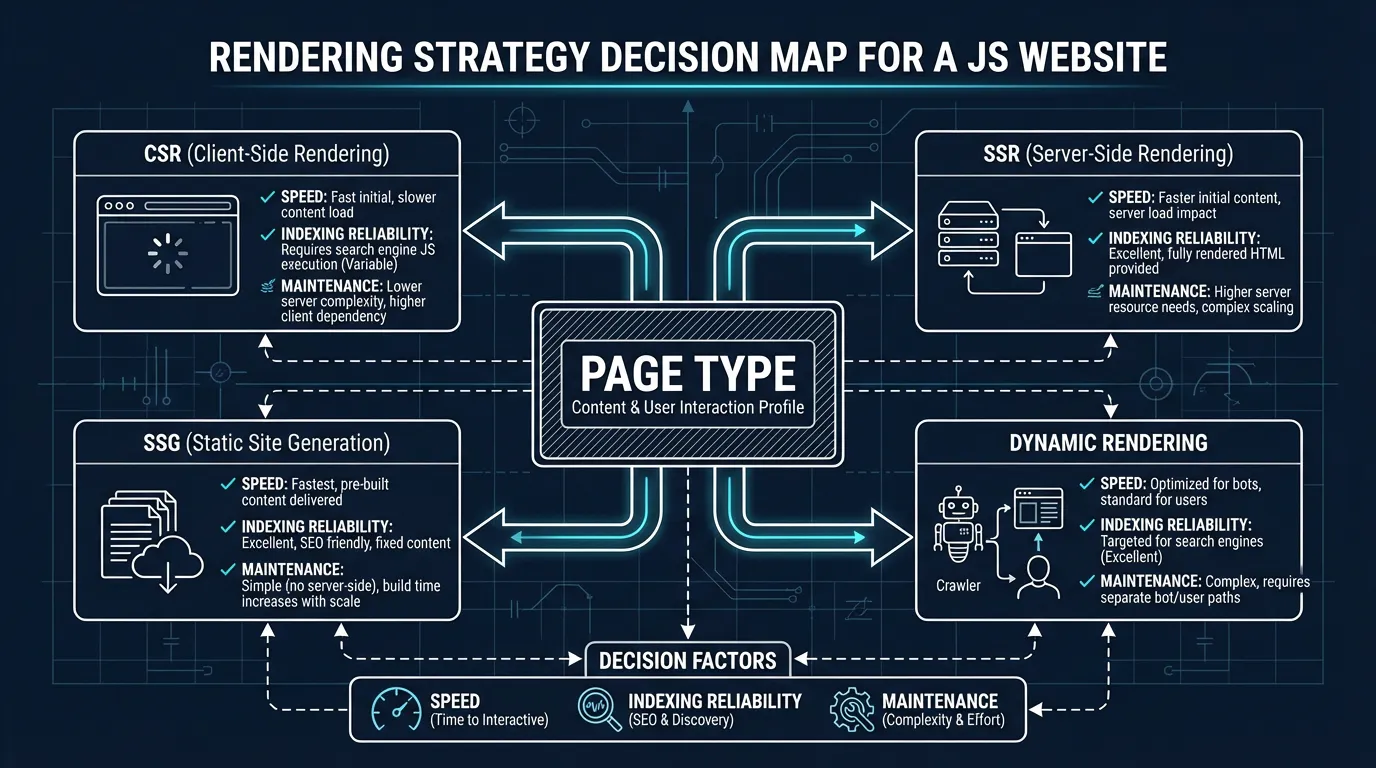
Rendering SEO decisions: CSR vs SSR vs SSG vs dynamic rendering (plus hydration and prerender)
Your goal is not to "SSR everything". It is to ensure that revenue-critical and intent-critical pages are reliably crawlable, indexable, and fast.
| Approach | What users get | What crawlers get | Typical SEO risk | Best fit pages |
|---|---|---|---|---|
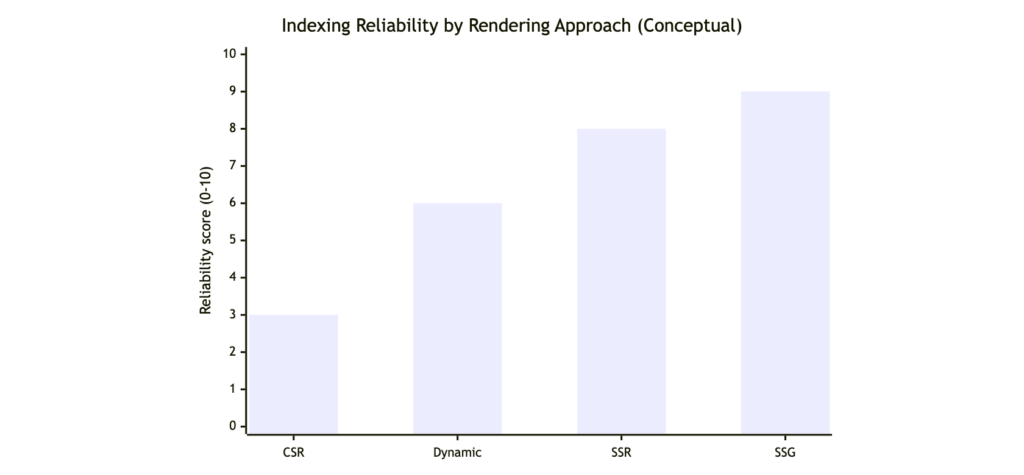
| CSR | HTML shell + JS builds content in browser | Often thin HTML first, full content after rendering | Higher risk of delayed or incomplete indexing | App-like experiences where SEO is secondary |
| SSR | Server returns complete HTML per request | Complete HTML immediately | Lower indexing risk, but needs performance work | High-intent landing pages, category pages |
| SSG | Prebuilt static HTML | Complete HTML immediately | Very stable, usually fastest | Blogs, docs, evergreen content hubs |
| Dynamic rendering | Bots get snapshots, users get app | Snapshot HTML for crawlers | Risk of stale snapshots and parity mistakes | Legacy SPAs that cannot be rebuilt fast |
Two terms that frequently cause confusion:
- Hydration: the framework "activates" server-rendered HTML with JavaScript. If hydration rewrites critical elements (titles, canonicals, internal links), you can send conflicting signals. Next.js explains the underlying rendering model in its rendering documentation.
- Prerender: creating HTML snapshots ahead of time (or on demand) to reduce reliance on client-side execution. It can help, but it must remain consistent with what users see to avoid trust and quality problems (Google discusses acceptable approaches in its JavaScript SEO basics).
A practical JavaScript SEO audit checklist (what to test first)
Use this as a prioritization checklist before you rewrite architecture.
- Compare source HTML vs rendered HTML
- If your key content only appears after rendering, you have an indexing risk.
- Confirm critical tags are stable without relying on client-side scripts
- Title, meta robots, canonical, hreflang, and structured data should ideally be present in initial HTML and remain consistent after hydration.
- Validate crawlable internal linking
- Navigation should use real
<a href>URLs, not JavaScript click handlers.
- Navigation should use real
- Check for blocked resources
- If JS or CSS bundles are blocked, rendering can fail. Google explicitly warns about resource access in its JavaScript SEO basics).
- Review Core Web Vitals pressure points
- Large JS bundles, heavy hydration, and third-party scripts can hurt LCP and INP.
- Spot SPA traps
- Infinite scroll, faceted navigation, and state-based content need crawlable URLs and sensible parameter rules.
How SeekLab.io approaches JavaScript SEO (diagnose, prioritize, then scale)
A specialist JavaScript SEO agency should not just hand you a generic list of issues. SeekLab.io's approach is built around decision clarity and execution support:
- Full-site crawling and structured analysis, including indexing, crawling, rendering, and JavaScript compatibility checks.
- Core Web Vitals and performance diagnostics focused on what impacts growth, not cosmetic scores.
- Internal link equity and semantic structure analysis so JavaScript routing does not break discoverability or conversion paths.
- Schema data compliance and enhancement, with guidance to keep structured data consistent across rendering and hydration.
- International and multilingual site architecture support, especially for teams operating across the Asia-Pacific region, the United States, and Europe, with teams and legal entities in Singapore and Shanghai, plus a BD team in Dubai.
The principle is simple: we do not aim to fix everything. We focus on identifying what truly impacts growth, what can be deprioritized, and what the implementation steps should be. For trust and risk control, SeekLab.io also offers no charge if the minimum expected results are not achieved, and some simple technical issues can be resolved for clients free of charge.

Next step (free audit report): Share your website domain and the key pages you care about (top landing pages, category/product templates, or locale versions). SeekLab.io will return a prioritized audit-style report and clear recommendations you can hand to your dev team immediately.