Pages Not Indexed? Solve Google Errors 2026
Expert reviewed

If you are seeing large numbers of pages not indexed in Google Search Console (GSC), you are not alone. In 2026, indexing is more selective by design: Google is willing to discover far more URLs than it is willing to keep in the index long-term. The goal is not to force everything into the index, but to make sure your business-critical URLs are crawlable, renderable, and clearly worth indexing.
How Google indexing works in 2026 (and why it got stricter)
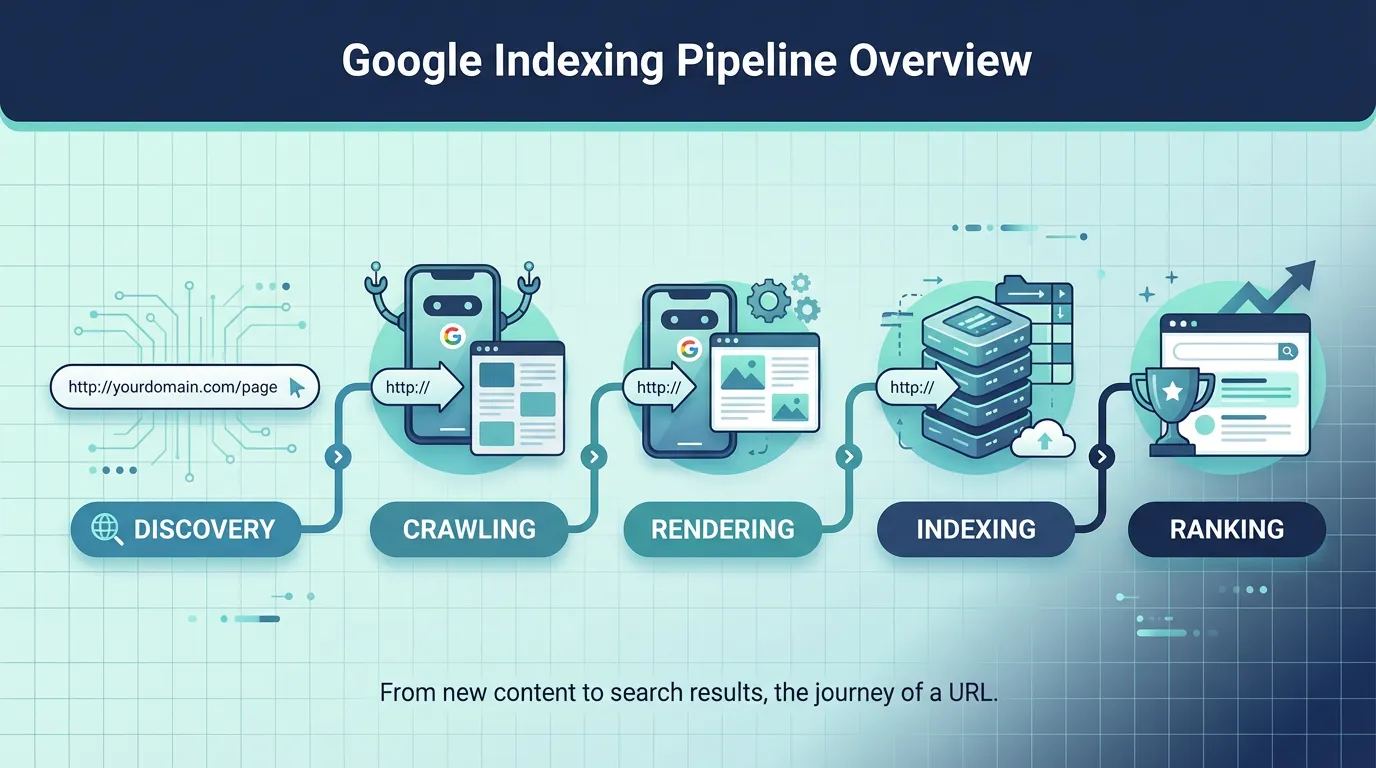
Google generally moves URLs through a pipeline: discovery, crawling, rendering, then indexing. The key change for 2024 to 2026 is not that Google cannot index your pages, but that it often chooses not to.
Authoritative references worth skimming:
- Google's overview of how Search processes content: How Google Search works
- The official help documentation for the report you are looking at: Page indexing report help
Here is the simplified decision path that explains most real-world cases:

Two practical implications for marketers and developers:
- Indexing issues are often symptoms of deeper problems (site architecture, duplication, weak templates, performance, or JavaScript rendering).
- A GSC label is not automatically a crisis. It becomes urgent only when it affects revenue pages (products, categories, lead-gen landings, key international pages).
How to read the Page Indexing report without panic
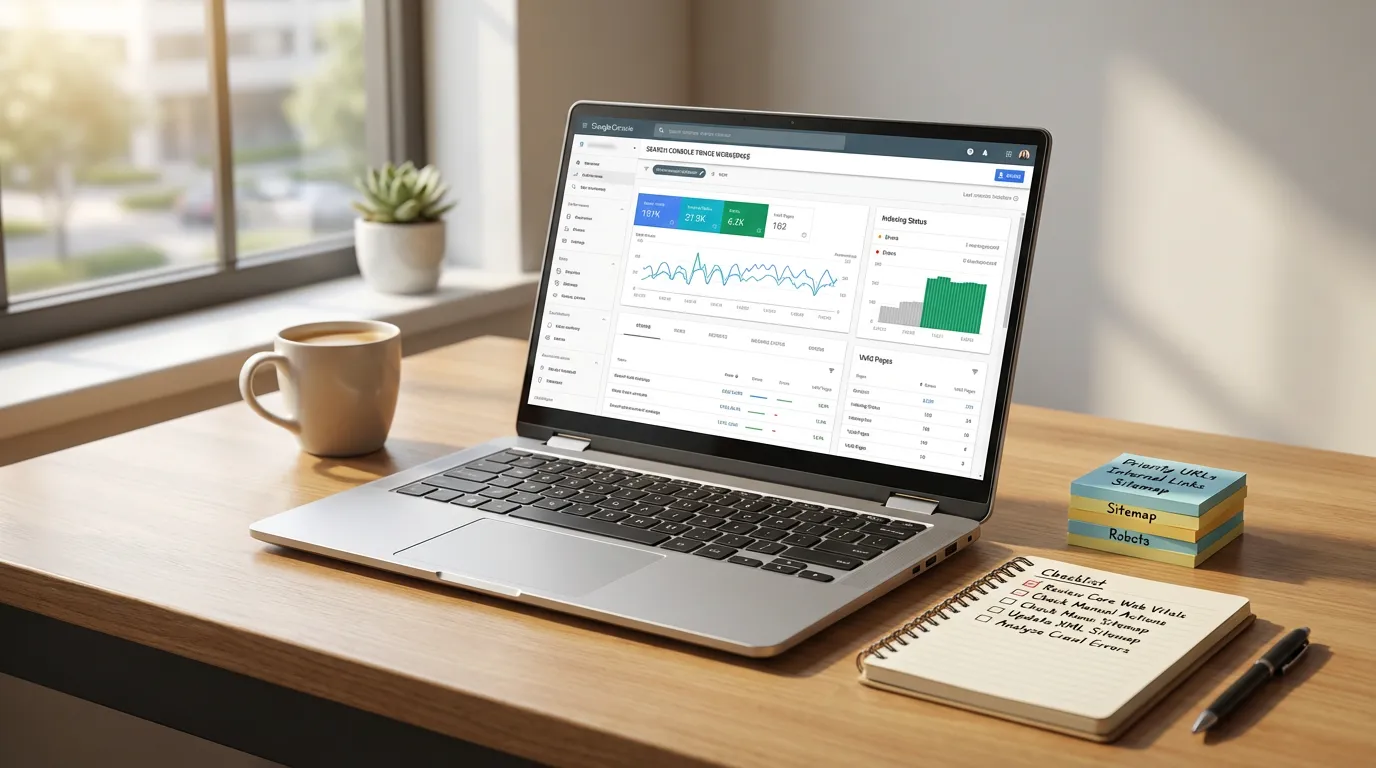
When stakeholders see "Not indexed," they often assume penalty. In practice, the report mixes:
- normal exclusions (intentional or harmless), and
- critical failures (misconfiguration or low quality signals for important URLs).
Use this table as your first-pass translator from GSC language to business action:
| GSC status (common) | What it usually means in plain English | When to worry | First action to take |
|---|---|---|---|
| Discovered status | Google knows the URL exists, but is delaying crawl | If the URL is business-critical and stuck for 4 to 6 weeks | Improve internal linking, clean sitemaps, check crawl stats and server speed |
| Crawled status | Google fetched it, but chose not to store it in the index | If it is a money page or core landing page | Upgrade content, fix duplication and canonical signals, verify rendering |
| Duplicate/canonical-related | Google prefers another URL as the main version | If your preferred URL is not the one being indexed | Align canonicals, internal links, and sitemap entries |
| Soft 404 | Page returns 200 but looks empty or "not found" | If important legacy URLs or products are affected | Return proper 404/410 or add meaningful content and alternatives |
| Blocked by robots rules | Google is not allowed to crawl it | If it is a section meant to rank | Narrow the block, and ensure critical resources (CSS/JS) are crawlable |
| Excluded by noindex | You (or a template) told Google not to index | If it spreads across important templates | Audit templates and headers for accidental noindex |
For official definitions and where Google surfaces these statuses, rely on: Google's help for the page indexing report.
Fix "Discovered" and "Crawled" statuses with a single workflow (prioritized)
Most teams fail here because they use a checklist without triage. Use this workflow instead: start with business importance, then diagnose why Google is delaying or rejecting.
Step 1: Separate critical URLs from "index noise"
Create a short list of URL types and rank them by business impact:
- Critical: category pages, product pages that drive revenue, lead-gen pages, core country/language pages.
- Medium: evergreen blog hubs, solution explainers, comparison pages.
- Low: internal search results, most filter combinations, duplicate tag archives, tracking parameters.
If you run eCommerce or a catalog-heavy exporter site, it is normal to have many low-value URLs that should never be indexed. Your job is to prevent them from consuming crawl attention.
Step 2: Confirm live indexability (before you touch content)
For any critical URL:
- Verify it returns 200 (not a redirect chain, not a broken 5xx).
- Confirm it is not blocked by robots rules.
- Confirm there is no noindex meta tag or header.
- Verify Googlebot can render meaningful main content if the page depends on JavaScript.
If your site is JavaScript-heavy, cross-check against Google's mobile crawling reality: mobile-first indexing best practices.
Step 3: If it is a "Discovered" status, increase priority signals
This is usually a crawl budget and prioritization problem:
- Strengthen internal linking:
- Link from category hubs, navigation, and relevant editorial guides.
- Avoid orphan pages and "only in sitemap" pages.
- Clean your XML sitemap strategy:
- Include only canonical, indexable, high-priority URLs where possible.
- Remove parameterized URLs and near-duplicates from sitemaps.
- Reduce crawl noise:
- De-link low-value filter combinations.
- Consider blocking truly useless URL patterns so Google spends time on what matters.
- Stabilize server performance:
- Slow responses and error spikes cause Google to crawl less.
- This is especially common for APAC audiences when hosting and CDN routing are not region-aware.
Rule of thumb: if critical pages remain stuck beyond 4 to 6 weeks, treat it as a systemic architecture/performance issue, not an individual URL issue.
Step 4: If it is a "Crawled" status, treat it as quality, duplication, or rendering
This is the "Google looked and decided no" bucket. Common fixes that actually move the needle:
- Consolidate near-duplicates:
- For product variants, decide which page should represent the cluster.
- Align canonical tags, internal links, and sitemap entries around that preferred page.
- Upgrade on-page value (especially for B2B and exporters):
- Add real differentiators: use cases, specs, FAQs, comparison tables, compliance details, shipping/lead times, or regional availability.
- Make sure the content is not templated boilerplate with swapped keywords.
- Fix rendering gaps:
- If the rendered view is thin because content loads late or fails, Google may treat it as low value.
- Ensure essential text and internal links are present reliably when Googlebot renders.
A 30 to 90 day plan to reduce indexing problems without wasting effort
Indexing improvements usually require iteration. This phased plan keeps teams focused on what impacts growth, while deprioritizing harmless exclusions.
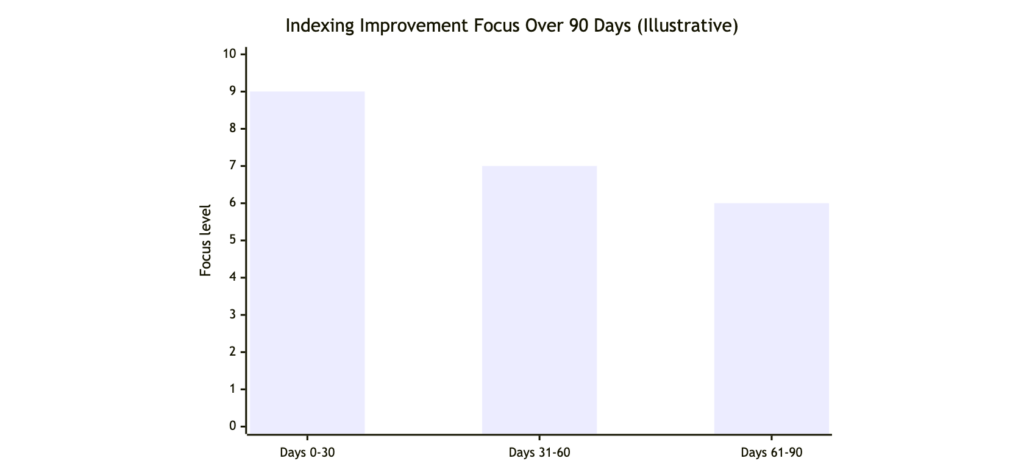
Use the phases like this:
- Days 0 to 30: Fix global mistakes first (robots rules, accidental noindex, sitemap pollution, chronic 5xx).
- Days 31 to 60: Rebuild internal linking for priority pages, consolidate duplicates, correct canonical inconsistencies.
- Days 61 to 90: Upgrade content for critical rejected pages, then tackle JavaScript rendering and Core Web Vitals improvements.
To avoid chasing ghosts, keep an eye on known reporting delays. For context, see: Search Engine Land coverage of a Page Indexing report delay.
When to bring in SeekLab.io (and what to ask for)
Some indexing issues are straightforward. Others are systemic, especially for:
- large catalogs with faceted navigation,
- multilingual or multi-region sites (APAC, US, EU),
- JavaScript frameworks where rendered content differs from raw HTML.
SeekLab.io focuses on diagnosing what truly impacts growth and what can be safely deprioritized. Beyond full-site crawling and structured analysis, teams typically need clear guidance on internal linking strategy, sitemap and robots validation, rendering checks, Core Web Vitals diagnostics, schema compliance, and a content plan that improves topical coverage without creating index bloat.
If you want a second set of expert eyes:
- Get a free audit report: share your domain and the specific GSC statuses affecting your critical URLs.
- Contact us: tell us which markets matter (US, Europe, APAC) and which page types drive leads or revenue.
- Leave your website domain: we can quickly confirm whether you are dealing with misconfiguration, crawl prioritization, or quality thresholds.
Quick FAQs
How long should you wait before worrying about a discovered status?
If the URL is important and remains stuck for more than 4 to 6 weeks, investigate internal linking, sitemap quality, crawl stats, and server performance.
Should you request indexing for every URL?
No. Use requests only after improving signals on critical URLs. Requesting on low-value pages often wastes time and can mask the real problem (too many low-value URLs).
Is it bad if many filter pages are not indexed?
Often it is healthy. The goal is to keep filters usable for users while preventing unbounded URL growth from consuming crawl attention.
Why do some pages appear in Google even if GSC labels them not indexed?
Reports can lag, canonical selection can differ by URL variant, and Google may surface a canonical while excluding alternates. Always validate with URL inspection and canonical signals.
If you share your domain and the top 20 URLs you care about most, you can usually identify the real bottleneck in a single review cycle.