SeekLab Audit Tool User Guide
Expert reviewed

SeekLab Audit Tool helps you detect technical SEO issues on your website and review optimization suggestions in one report.
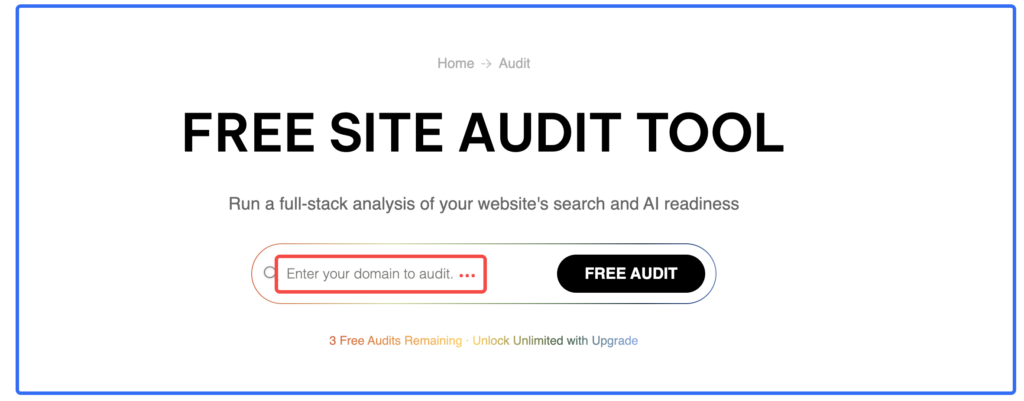
How to Run an Audit
- Go to the audit tool page.
- Enter your website URL in “Enter your domain to audit”.
- Start the detection.
- Wait about 5 minutes for the scan to finish.
- When the report status changes to Success, the report is ready.
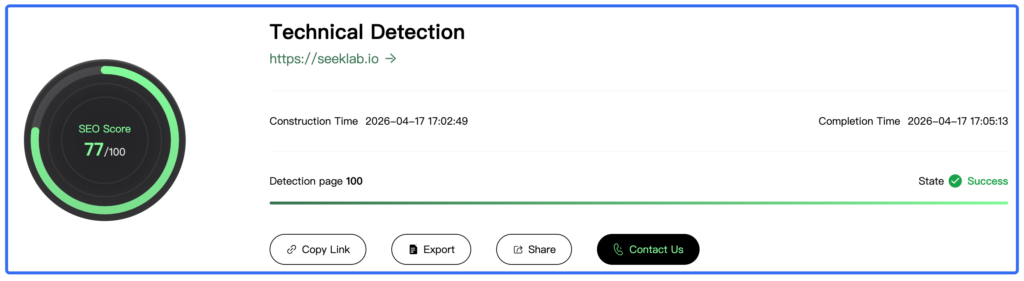
In the SeekLab test report, the audit completed successfully with 100 pages detected and the final state marked as Success.
How to Read the Report
After the audit is complete, scroll down to review the results.
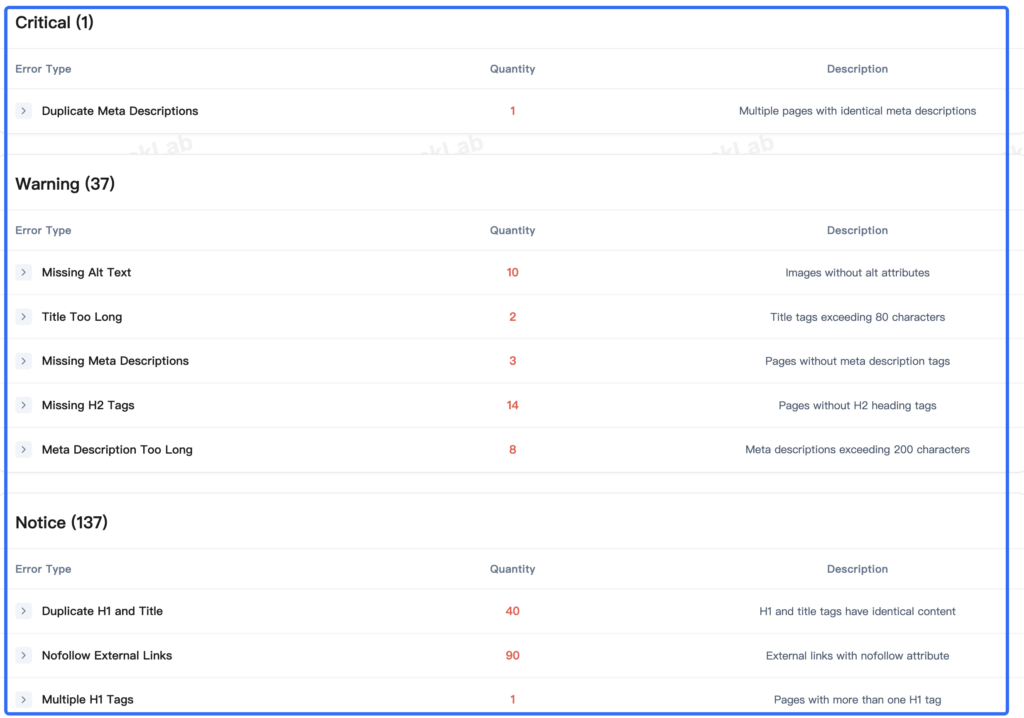
The report is grouped into three levels:
- Critical
- Warning
- Notice
This structure helps you understand which problems should be checked first.
The sample SeekLab report also shows an SEO Score of 77/100.
What the Report May Show
The audit report highlights common technical and on-page SEO issues.
In the SeekLab example, the report detected:
Critical
- Duplicate Meta Descriptions: 1
Warning
- Missing Alt Text: 10
- Title Too Long: 2
- Missing Meta Descriptions: 3
- Missing H2 Tags: 14
- Meta Description Too Long: 8
Notice
- Duplicate H1 and Title: 40
- Nofollow External Links: 90
- Multiple H1 Tags: 1
- Permanent Redirects: 1
- Resource Files as Links: 3
- Non-Descriptive Anchor Text: 1
- Broken External JS/CSS: 1
What You Can Do After the Report Is Ready
Once the audit is complete, you can use the built-in actions at the top of the report:
- Copy Link to save the report URL
- Export to download the report
- Contact Us to reach SeekLab for further support
These options are visible in the sample report together with the audit summary.

When to Contact SeekLab
If your report shows unresolved technical problems and you need help turning the findings into an action plan, you can click Contact Us.
SeekLab provides paid consulting support for businesses that want help diagnosing and resolving technical SEO issues.
Tips for Using the Tool
- Run the audit after major website updates
- Review Critical issues first
- Fix repeated template-level problems before editing pages one by one
- Save or export the report so your team can track changes over time
Example Report
Test report link: https://dashboard.seeklab.io/seo/detection/261?language=en