Ahrefs vs Semrush vs SE Ranking for Website Audits
Expert reviewed

Ahrefs, Semrush, and SE Ranking can all run useful website audits. The right choice depends on four practical questions: how many URLs you need to crawl, whether important content requires JavaScript rendering, how often you need to recrawl, and what surrounding data your team uses to prioritize fixes.
Short answer: choose Ahrefs when backlink and competitor context should influence technical priorities; choose Semrush when the audit needs to sit inside a broad SEO and reporting workspace; choose SE Ranking when configurable, recurring crawls are the main requirement. In every case, confirm the plan's crawl allowance and rendering access before buying.
This website audit tools comparison focuses on the differences that change audit quality: crawl configuration, rendering, indexability signals, international SEO checks, internal linking, performance diagnostics, exports, APIs, and plan restrictions. A small B2B site may need a monthly crawl and a sharper priority list for service pages. A multilingual ecommerce site may need rendered crawling, hreflang validation, sitemap controls, and enough capacity to recrawl after releases. A health score alone is not an implementation plan.
Website audit tools comparison: Which platform fits your crawl requirements and operating model?
There is no universal best website audit tool. Ahrefs is strongest where backlink, competitor, and content-research context should shape technical priorities. Semrush is a practical choice for teams that want a broad SEO workspace around the audit process. SE Ranking is a credible option for teams seeking configurable recurring audits and wider SEO functions without assuming they need the largest platform.
The first decision is not which tool has the most checks. It is whether the selected plan can crawl your real site often enough and in the way users and search engines encounter it.
| Decision factor | Ahrefs | Semrush | SE Ranking | What it means in practice |
|---|---|---|---|---|
| Primary audit fit | Technical audits informed by backlinks and competitor research | Broad SEO workflow for marketing and technical teams | Configurable recurring auditing within an all-in-one platform | Choose based on the work your team will perform after the crawl |
| Recurring crawls | Scheduled crawls; Always-on audit is also documented | Once, weekly, or daily | Manual, weekly, or monthly | Match the schedule to releases and monitoring needs |
| JavaScript rendering | Available through the Execute JavaScript setting | Available with Guru or Business SEO Toolkit | Available in platform settings; the API separates standard and rendered crawls | Confirm rendering entitlement and test the rendered output |
| Crawl capacity | Plan-specific crawl credits and project page caps | Pro: 100,000 pages/month; Guru: 300,000; Business: 1 million | Plan capacity applies; API crawl limits are configurable | Calculate URLs × crawl frequency × environments before buying |
| Crawl sources and scope | Sitemap discovery, crawl rules, seeds, and project limits | Website, robots.txt sitemap, sitemap URL, or uploaded URL list | Site pages, subdomains, XML sitemap, or uploaded URL list | Use the source that matches the audit question |
| International checks | Hreflang and orphan-page issue reports are documented | Hreflang fields and thematic reporting are documented | Hreflang issue checks are documented | Automated checks still need manual validation of market intent |
| API access | API v3 includes Site Audit project and page endpoints | Site Audit API is available through the Projects API with qualifying access | Website Audit API supports standard and JavaScript-rendered audits | API access matters for portfolios, dashboards, and ticketing workflows |
| Surrounding SEO context | Strong backlink and competitor data | Broad keyword, reporting, and marketing workspace | Wider rank-tracking and SEO toolset | Context helps decide which warnings deserve action |
A workable capacity calculation is simple:
Required monthly crawl volume = pages per crawl x crawls per month x domains, subdomains, or environments
For example, a 40,000-URL website crawled weekly needs roughly 160,000 pages of monthly capacity before accounting for staging environments, regional subdomains, or rechecks after deployment. A plan that looks generous for one monthly crawl can become restrictive quickly.
The same logic applies to international websites. A company with English, German, French, and Japanese folders may have a modest number of templates but a large number of localized URLs. Crawl allowances should account for every important locale, not just the primary US folder.
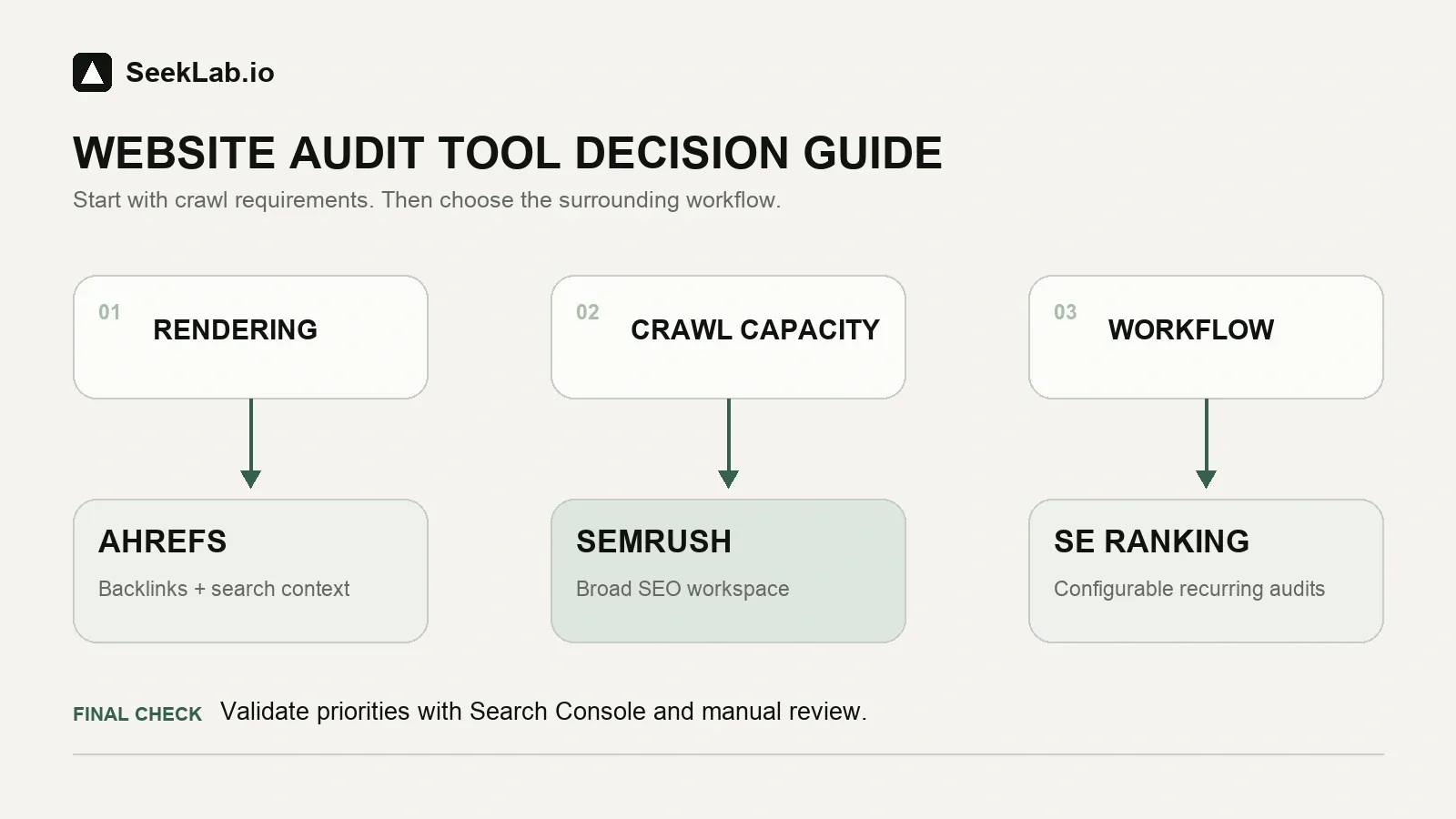
Start with rendering and crawl capacity. Choose the platform whose surrounding workflow helps your team act on the findings, then validate priorities in Google Search Console and through manual review.
Website audit tools comparison: Ahrefs for backlink-informed technical priorities
Ahrefs Site Audit is most useful when technical issues need to be assessed alongside backlinks, organic competitors, content gaps, and pages that already hold valuable search equity.
That distinction matters. A broken URL with no traffic, no internal links, and no commercial role may be a low-priority cleanup item. A redirected category page with strong referring domains, rankings, and links from key editorial content may deserve immediate review. Ahrefs gives SEO specialists a stronger surrounding context for that judgment than a crawler-only workflow.
Ahrefs documents scheduled crawling, sitemap discovery, an Execute JavaScript setting, PageSpeed Insights data when a Google API key is connected, and an Always-on audit that recrawls pages between scheduled scans. Its API v3 also exposes Site Audit projects, page content, and Page Explorer data. The wider platform connects crawl findings to backlink analysis, competitor research, keyword research, and content opportunities.
Ahrefs is a strong fit when:
- Your team needs to protect pages with established backlinks or organic visibility.
- Technical fixes must be considered alongside content consolidation and competitor gaps.
- An in-house SEO specialist can interpret crawl data and manage follow-up work.
- You need recurring monitoring after migrations, CMS releases, or template changes.
- You want one platform to support link analysis, keyword research, and auditing.
Watch for these constraints:
- JavaScript execution is not the default crawl behavior. It must be enabled where navigation, content, or metadata depends on client-side rendering.
- Crawl credits, page caps, projects, exports, and API allowances vary by plan. Ahrefs currently states that only internal HTML pages returning
200 OKconsume Site Audit crawl credits and that the first 5,000 monthly credits are free for each verified project. Review the current Ahrefs plan differences against your real crawl volume. - PageSpeed data identifies a performance signal, not the root cause. A slow product template may involve oversized images, third-party scripts, font loading, caching, server response time, or layout behavior.
- Hreflang and orphan-page reports can identify patterns, but they do not decide whether a localized page or isolated URL is strategically necessary.
Ahrefs is often a sensible choice for content-led sites, established B2B companies, and SEO teams that need to decide which existing assets are worth protecting. It is less suitable for a non-technical owner who expects a crawl report to become developer-ready tickets without specialist review.
Website audit tools comparison: Semrush for integrated SEO audit software workflows
Semrush Site Audit is well suited to teams that need their technical crawl inside a broader SEO operating environment. Semrush currently documents more than 140 on-page and technical checks, including crawlability, internal linking, performance, HTTPS, structured data, robots.txt, hreflang, and a dedicated AI Search category for technical GEO-related checks.
This can be helpful for in-house marketing teams because technical findings do not sit in isolation. The same workspace may also support rank tracking, keyword research, competitor monitoring, and reporting. The risk is operational rather than technical: a broad platform can create a large volume of notifications unless one person owns prioritization.
Semrush documents one-off, weekly, and daily crawls; crawl sources from the website, a robots.txt sitemap, a specified sitemap URL, or an imported URL list; and SiteAuditBot user agents for mobile and desktop. Its current configuration also includes an OpenAI-Search user agent for testing whether the site is accessible to OpenAI's search bot. Exports are available in Excel, CSV, and PDF formats, subject to subscription limits.
| Semrush audit consideration | Practical consequence |
|---|---|
| JavaScript rendering requires Guru or Business SEO Toolkit | Pro may miss links and content available only after JavaScript execution |
| Pro and Guru allow up to 20,000 pages per audit; Business allows up to 100,000 | Check both the per-audit ceiling and monthly allowance for large sites |
| Mobile, desktop, and OpenAI-Search user agents are documented | Useful for testing different crawler access patterns; it does not replace Google-specific evidence |
| Site Audit API access requires qualifying Business/API access and API units | Budget API access separately if you need automated audit operations |
| Thematic reports cover multiple areas | Useful for orientation, but each finding still needs business context |
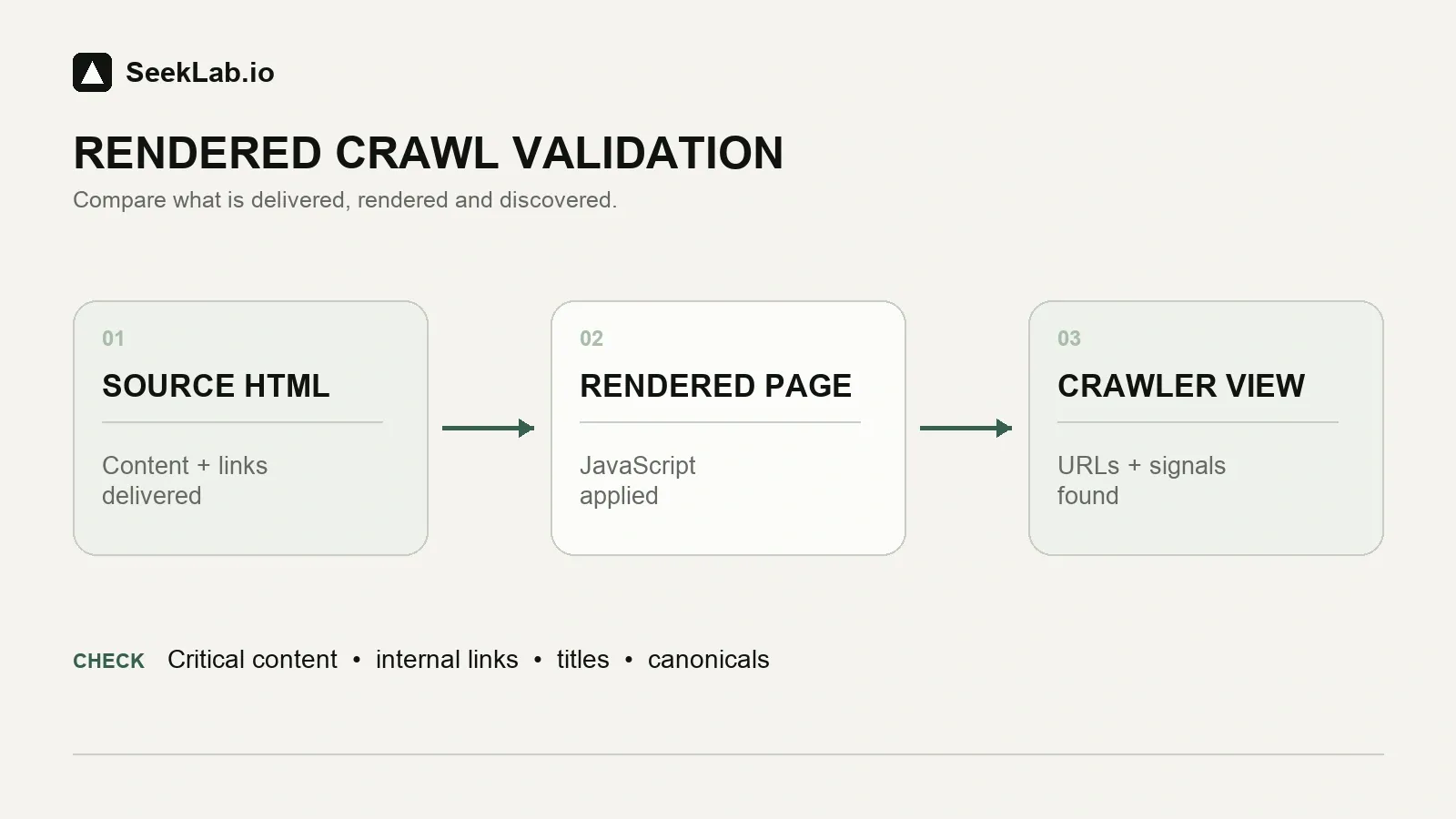
The JavaScript limitation is especially important. A JavaScript-heavy website can appear healthy in a non-rendered crawl while important navigation, product lists, or service-page links remain undiscovered. Semrush states that JavaScript-only links may not be found without rendering, so plan eligibility should be treated as a procurement requirement rather than a minor feature upgrade.
Semrush is a strong option when a marketing team needs a shared environment for audits, rankings, keywords, and stakeholder reporting. It is not automatically the right choice for a small website that only needs focused technical monitoring and will not use the larger suite.
For teams reviewing technical issues after a crawl, our technical SEO audit checklist can help separate urgent indexability and template problems from low-value warnings.
Website audit tools comparison: SE Ranking for configurable recurring audits
The SE Ranking Website Audit is a practical option for companies that want recurring technical checks, crawl configuration, and broader SEO functions without purchasing a platform solely for enterprise-scale operations.
SE Ranking documents crawling from site pages, subdomains, XML sitemaps, or an uploaded URL list; credentials for restricted pages; manual, weekly, or monthly scheduling; and JavaScript rendering for dynamically loaded content. Its Website Audit API separates standard HTML crawling from advanced JavaScript-rendered crawling and exposes controls for page limits, depth, redirects, request rates, URL rules, and user agents.
That flexibility can be useful for developer-led sites. A team can reduce crawl scope to a critical directory, run sitemap-based checks after a deployment, or apply credentials to review restricted pages. These settings are more useful than a generic site-wide scan when a business is testing a new product section, language folder, or template family.
SE Ranking also has documented hreflang issue checks, including missing reciprocal references and alternate URLs that redirect, use noindex, or point to non-canonical pages. That makes it a credible starting point for multilingual websites, particularly where teams need recurring checks across regional or language versions.
SE Ranking is worth shortlisting when:
- You need configurable Website Audit settings and recurring crawl schedules.
- Your site uses dynamic content or client-side rendering.
- You manage multilingual folders and need an initial hreflang issue review.
- Your team values API-controlled audit operations.
- You need a cost-conscious broader SEO workflow, subject to current plan verification.
Do not assume the software settles these questions:
- Whether a locale requires its own localized commercial page.
- Whether country folders, subdomains, or separate domains fit the business model.
- Whether a canonical conflict is intentional, harmful, or simply a CMS behavior.
- Whether a noindex directive protects crawl efficiency or accidentally blocks a lead-generating page.
- Whether a template should be fixed globally or handled as an exception.
Current pricing, plan names, capacity, users, and reporting options should be confirmed on the live SE Ranking pricing page before purchase. For API planning, note that SE Ranking currently prices standard and JavaScript-rendered audit calls differently, so rendered crawls can consume substantially more API credits. Value depends on the number of sites, URLs, users, and rechecks your operation needs.
For large catalogs, directories, and template-driven publishing sites, a technical SEO audit for large or template-driven sites is often more valuable than a broad list of duplicate titles or broken links. The core question is whether shared templates create repeated indexation, internal-linking, or rendering failures at scale.
Website audit tools comparison: Compare SEO audit features that change implementation priorities
Most technical SEO audit tools can surface redirects, broken links, missing tags, duplicate signals, robots directives, sitemap inconsistencies, and performance warnings. The hard part is determining whether the issue affects valuable URLs, shared templates, regional visibility, or conversion paths.
A sensible audit process uses software for repeatable pattern discovery, then validates the pattern across several evidence sources.
| Audit area | What software can identify | What requires manual review |
|---|---|---|
| Crawlability | Broken URLs, blocked resources, redirect chains, robots.txt patterns | Whether blocked pages are intentionally excluded or commercially important |
| Indexability | noindex, canonicals, sitemap mismatches, duplicate patterns |
Whether Google indexes the intended canonical and whether a URL should compete in search |
| JavaScript rendering | Missing rendered content, undiscovered links, dynamic page differences | Source versus rendered HTML, API behavior, routes, user-triggered content, and production behavior |
| Internal linking | Crawl depth, broken links, weak linking patterns, isolated sections | Which pages should act as topical hubs and where commercial links belong |
| Performance | Slow templates and diagnostic signals | Root cause across images, scripts, fonts, caching, server response, and third-party code |
| International SEO | Hreflang conflicts and locale relationship warnings | Whether market targeting, localization depth, and architecture are strategically correct |
| Structured data | Markup warnings and format issues | Whether the markup accurately reflects the page and supports the intended search appearance |
| Content quality | Duplicate titles, short pages, missing headings | Search-intent fit, commercial proof, buyer objections, and content overlap |
A crawler does not prove Google indexing. It can assess technical indexability signals, but Google Search Console and URL Inspection remain necessary for Google-specific evidence. This matters when an audit flags a page as crawlable and indexable, yet the page has no impressions because Google selected another canonical, considers it low value, or has not found a useful internal route to it.
Internal linking is another area where automated reports can be misleading. A service page may have ten internal links but still receive weak topical signals because those links come from unrelated footers or generic navigation. A well-placed contextual link from a relevant guide can be more useful than several repeated links with no supporting context.
The same principle applies to Core Web Vitals. A platform may identify a slow URL, but the right response is not always to optimize every image or remove every script. Start with templates that support high-intent landing pages, product categories, location pages, quote paths, and high-traffic informational pages that feed commercial journeys.
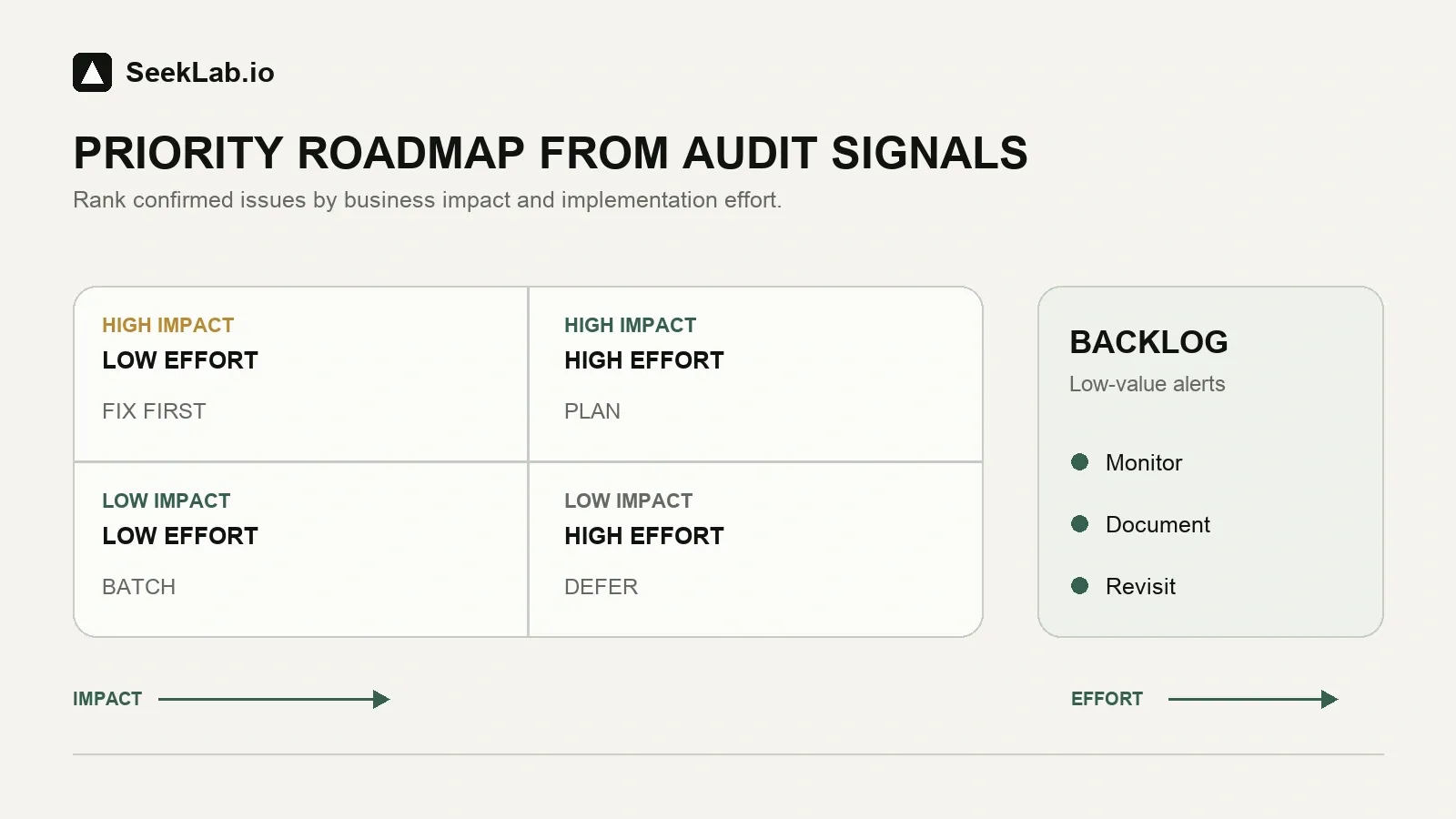
Website audit tools comparison: Choose software, then validate what actually affects growth
The most useful website audit tools comparison ends with a decision about workflow, not a winner badge.
Choose Ahrefs when backlink value, competitor visibility, content gaps, and technical defects must be reviewed together. Choose Semrush when an in-house team needs a broad SEO platform with documented audit reporting, mobile or desktop crawl options, and an API-enabled workflow. Choose SE Ranking when configurable crawling, JavaScript readiness, recurring audits, and practical all-in-one operations are the priority.
Then apply a second filter: business impact.
A missing meta description on an old archive page should not outrank an accidental noindex on a core service page. A malformed hreflang tag matters more when it affects a revenue-driving market than when it appears on a retired blog post. A slow template deserves more attention when it handles quote requests, category discovery, or product detail pages.
SeekLab.io helps brands make those distinctions. We review technical evidence alongside information architecture, internal linking, content quality, localization, page intent, and conversion paths. The goal is not to fix every warning. It is to identify what genuinely limits growth, what can be deprioritized, and what needs clear technical guidance before development time is spent.
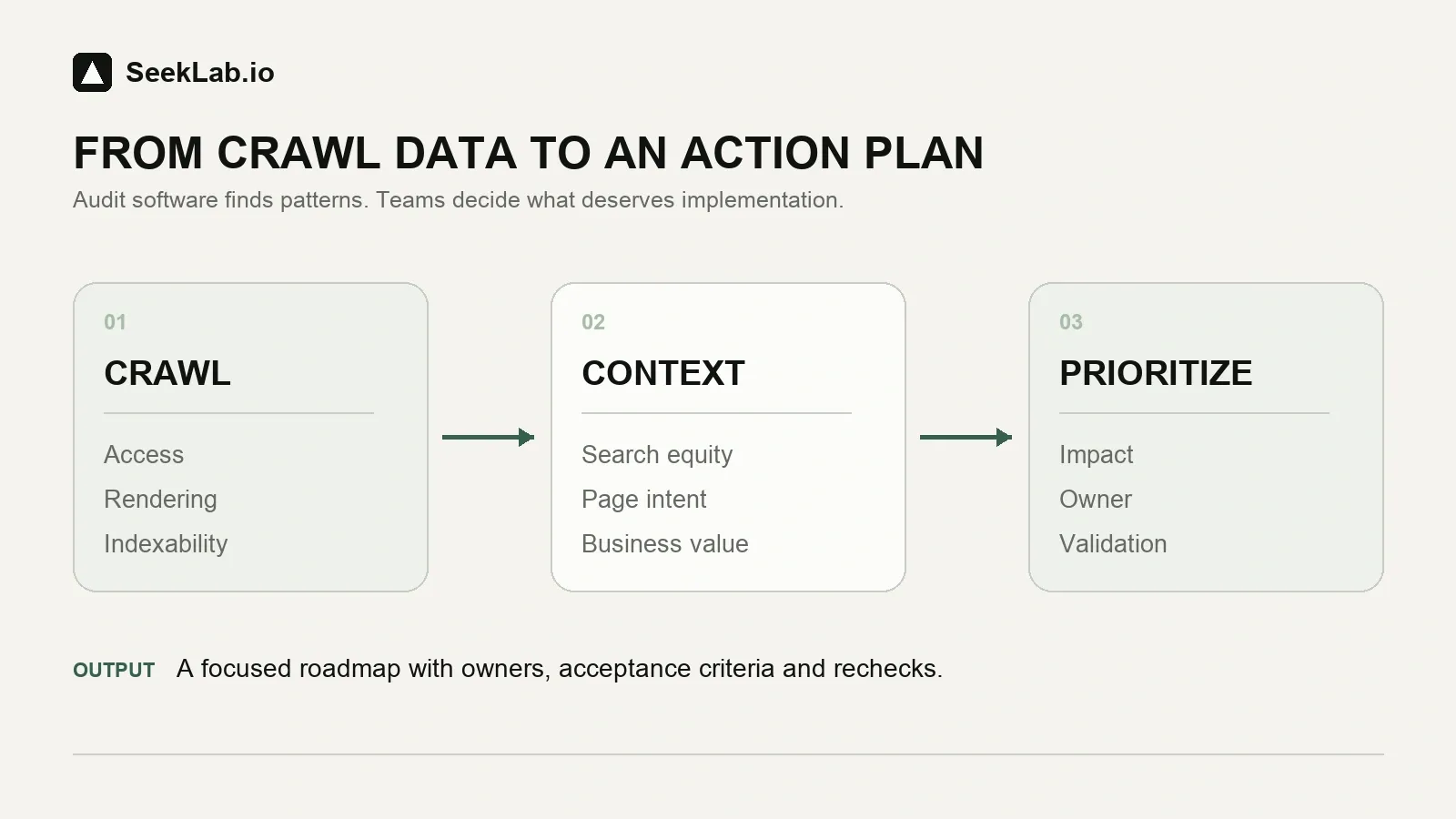
Software provides the signals. A useful audit turns those signals into a limited, defensible action plan with owners, acceptance criteria, and post-release validation.
For a deeper view of the distinction, read what a technical SEO audit actually includes. You can also run SeekLab's free site audit for a fast first diagnosis. If you need a specialist review of technical SEO and AI-search readiness, explore SeekLab's Search & AI Audit.