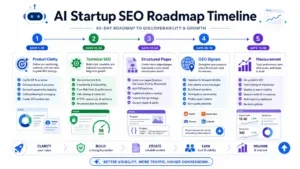
How to Build a 3-Month SEO Roadmap for an AI Gateway Startup
Expert reviewed

A 3-month SEO roadmap for AI startups should make the site crawlable, indexable, structured around developer intent, and credible enough for API evaluation before targeting broad AI keywords.
Use this plan for an early-stage AI Gateway, AI API, AI Model Router, or developer infrastructure website with little organic visibility. The operating goal is not guaranteed rankings. The goal is to build the minimum viable SEO foundation: technical access, core commercial pages, developer documentation paths, high-intent keyword coverage, and external proof.
SEO roadmap for AI startups: Why AI Gateway SEO is different from generic SaaS SEO
AI Gateway SEO is developer-led. The searcher usually wants implementation detail, compatibility, pricing logic, model access, fallback behavior, routing control, and production risk information.
Generic SaaS SEO often starts with category pages, use-case pages, feature pages, and lead capture. AI gateway SEO needs those assets, but it must also support technical evaluation.
A developer evaluating an AI Gateway may search for:
- OpenRouter alternative
- AI model router
- OpenAI-compatible API
- AI API pricing
- one API for multiple AI models
- LLM routing
- model fallback
- multi-model API
- AI gateway docs
- API quickstart
- model routing by cost or latency
Do not start with "AI API" as the only target. It is broad, competitive, and often unclear. Use it as a category term, not the whole strategy.
Docs are required, but docs are not a complete AI API marketing strategy. Docs serve implementation intent. Commercial pages serve evaluation intent.
Use this split:
| Search intent | User question | Required page type | Example target |
|---|---|---|---|
| Category | What is this product type? | AI Gateway page | AI gateway |
| Routing | How are model requests selected? | AI Model Router page | AI model router |
| Compatibility | Can I use my existing SDK? | Docs and landing page section | OpenAI-compatible API |
| Evaluation | Is there an alternative to a known platform? | Alternative page | OpenRouter alternative |
| Pricing | What will usage cost? | Pricing page | AI API pricing |
| Implementation | How do I make the first request? | Quickstart and API tutorial | one API for multiple AI models |
Treat AI model router SEO as a separate layer. A model router page should explain routing criteria, fallback, retries, provider selection, cost controls, and latency rules. Do not bury this inside a generic feature list.
Treat OpenRouter alternative SEO as commercial intent. The page must be honest. It should explain who the product fits, where it differs, how migration works, and what limitations remain.
Developer trust signals affect conversion and search performance indirectly. A startup asking developers to place an API in an application path must show documentation, API reference, GitHub examples, pricing, status, privacy policy, terms of service, support contact, and clear footer navigation.
For definition consistency, use authoritative sources when explaining the category. IBM describes an AI Gateway as a layer that helps manage AI application interactions and controls. Google Search Central provides the implementation rules for crawling, indexing, JavaScript rendering, mobile experience, and structured data. Use IBM's AI Gateway explainer for category language and Google Search Central for technical SEO implementation rules.
SEO roadmap for AI startups: Month 1 technical foundation
Month 1 must remove crawl, render, indexation, and architecture blockers. Do this before writing many articles.
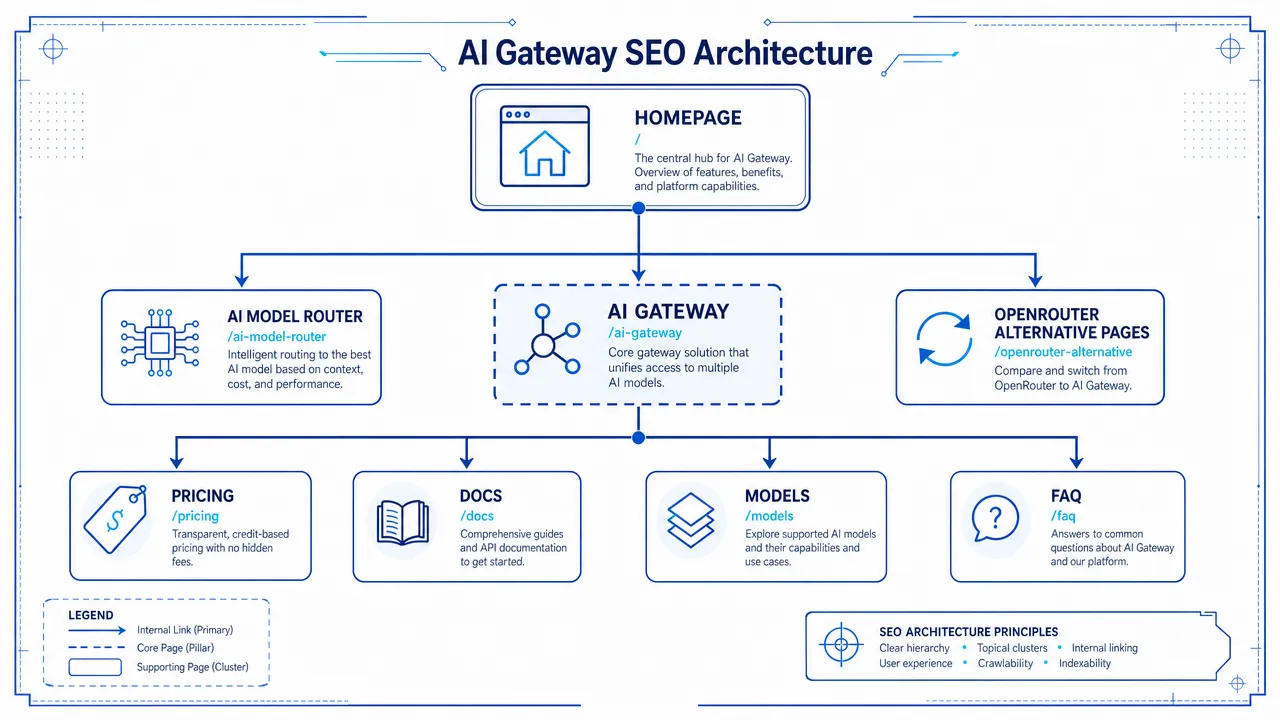
Start with the pages that must be discoverable:
- Homepage
- AI Gateway page
- AI Model Router page
- Models page
- Pricing page
- Docs
- API reference
- FAQ
- OpenRouter alternative page
- Privacy policy
- Terms of service
- Support contact
- Status page
- GitHub examples page or repo link
Use this sequence.
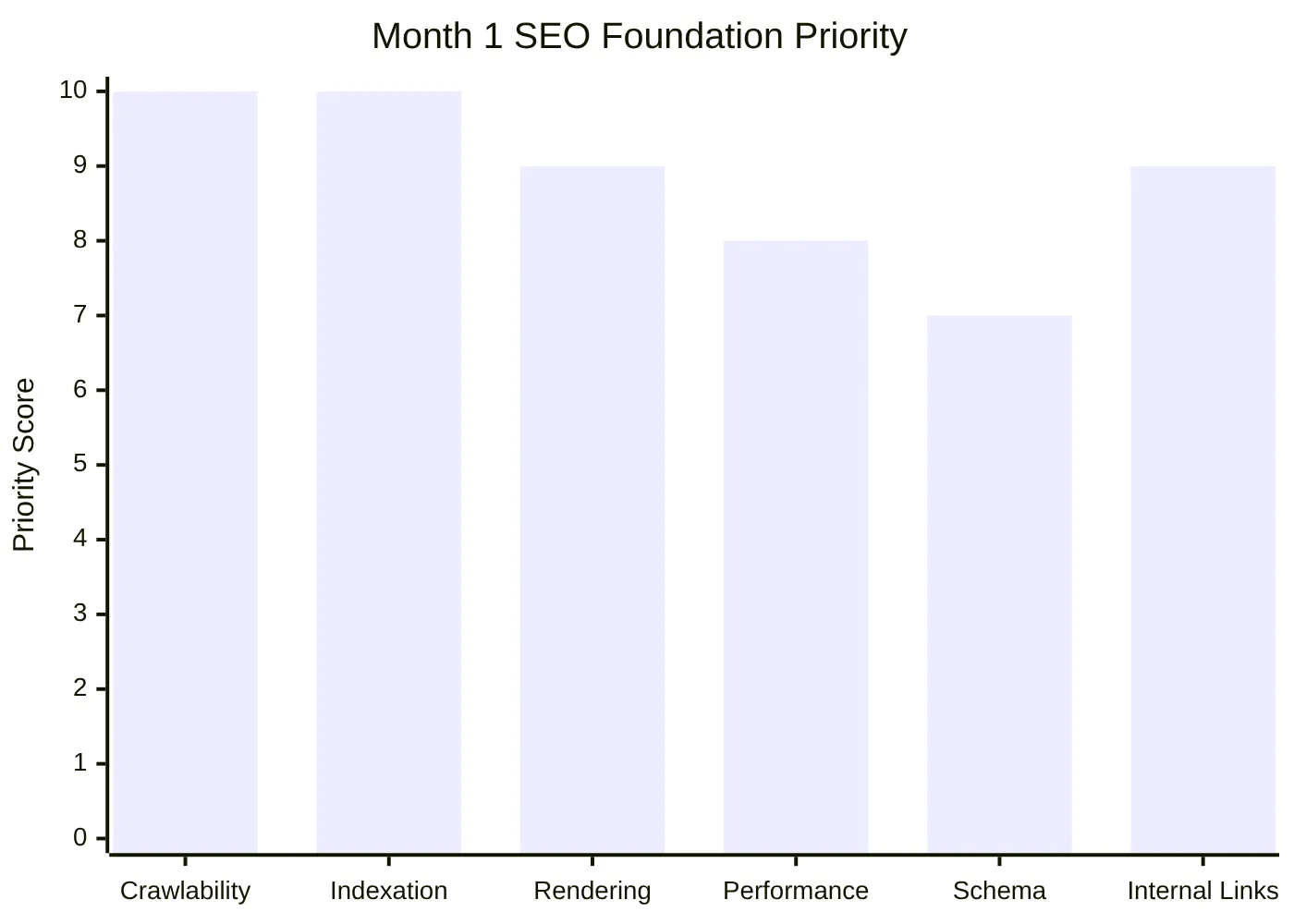
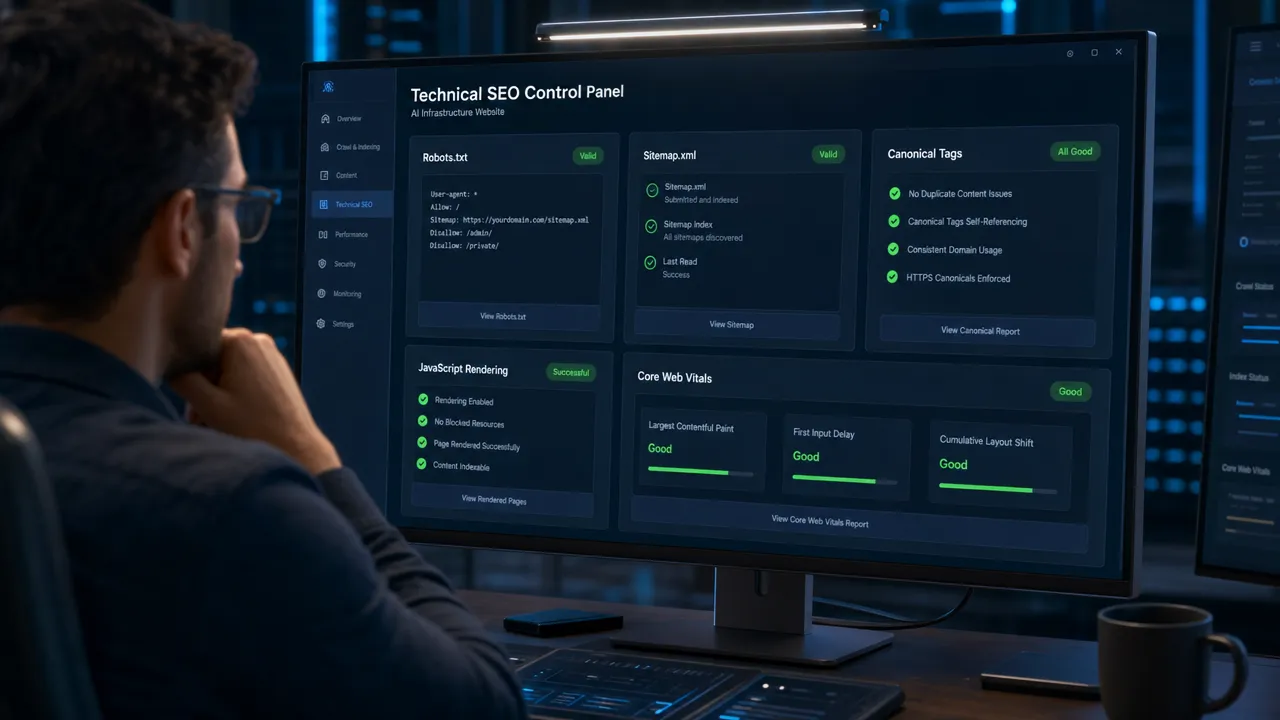
Week 1: Crawlability, robots.txt, and sitemap.xml
Check robots.txt first. Confirm it does not block core pages, docs, CSS, JavaScript, or product assets.
Use Google's robots guidance as the operating reference: robots.txt introduction from Google Search Central.
Required checks:
| Item | Action | Failure pattern |
|---|---|---|
| robots.txt | Visit /robots.txt and test production rules |
Staging rules block the whole site |
| Sitemap | Open /sitemap.xml and submit it in Search Console |
Sitemap contains redirected, noindexed, or duplicate URLs |
| Docs access | Crawl /docs/ from the homepage |
Docs are blocked or orphaned |
| Core pages | Confirm every core URL is linked from nav, footer, or a hub page | Important pages exist but have no internal links |
Use Google's sitemap guidance for implementation: sitemap documentation from Google Search Central.
Your sitemap should include only canonical, indexable URLs. Do not include internal search pages, filtered model pages, session URLs, redirected URLs, or noindexed pages.
Week 2: Indexation, canonicals, and JavaScript rendering
Inspect each core URL in Google Search Console. Confirm Google can crawl the page, render the main content, see internal links, and select the intended canonical.
Use Google's canonical guidance for duplicate URL handling: canonicalization documentation from Google Search Central.
Canonical rules:
- Use self-referencing canonicals on primary pages.
- Canonicalize duplicate model or provider variants to the preferred URL.
- Do not canonicalize every page to the homepage.
- Do not allow trailing slash and non-trailing slash duplicates to both index.
- Do not let filtered model URLs become indexable unless each page has unique value.
JavaScript rendering must be tested. Many developer tool websites use React, Next.js, documentation frameworks, code tabs, and client-rendered navigation. If Google cannot see the copy or links in rendered HTML, the page may not perform.
Use Google's JavaScript SEO documentation as the reference: JavaScript SEO basics from Google Search Central.
Rendering checks:
- Main heading is present in rendered HTML.
- Pricing copy is visible without user interaction.
- Docs navigation uses crawlable links.
- Model cards render server-side or static where possible.
- Code blocks do not break mobile layout.
- CTA links use standard anchor tags.
- FAQ content is visible on page if FAQ schema is used.
For page speed and Core Web Vitals execution, use SeekLab's guide to improve page speed for SEO rankings. Apply it to homepage, docs, pricing, model pages, and comparison templates first.
Structured data should clarify page type. It should not invent facts. Use Google's structured data introduction and Schema.org as references.
Recommended schema:
| Page type | Schema to consider | Rule |
|---|---|---|
| Homepage | Organization, WebSite | Use real company details only |
| Category pages | BreadcrumbList, Article or TechArticle | Use when the page explains the category |
| Docs | TechArticle, BreadcrumbList | Use for guide-style documentation |
| FAQ | FAQPage | Use only when FAQ content is visible and eligible |
| Pricing | Product or Offer | Use only if pricing data is accurate and maintained |
| Model pages | ItemList or Product | Use Product only when product-like data is valid |
By the end of Month 1, create URL slots even if full copy is not complete:
| Page | Recommended URL pattern | Primary purpose |
|---|---|---|
| Homepage | / |
Product category and main conversion path |
| AI Gateway | /ai-gateway/ |
Category and commercial intent |
| AI Model Router | /ai-model-router/ |
Routing and fallback intent |
| Models | /models/ |
Model discovery |
| Pricing | /pricing/ |
Cost evaluation |
| Docs | /docs/ |
Implementation |
| FAQ | /faq/ |
Objection handling |
| OpenRouter alternative | /alternatives/openrouter/ or /openrouter-alternative/ |
Competitor-aware evaluation |
Use SeekLab's search intent and conversion guide when assigning one primary intent to each page. Do not make one page target every keyword.
SEO roadmap for AI startups: Month 2 commercial and comparison pages
Month 2 should publish the pages that match buyer and developer evaluation intent. Do not wait for a full blog program.
Publish in this order:
- AI Gateway page
- AI Model Router page
- Pricing page
- FAQ page or FAQ modules
- OpenRouter alternative page
- Supporting comparison templates
AI Gateway page
The AI Gateway page must define the product category and explain the control layer.
Required sections:
- Definition
- Where it sits in the request path
- Supported providers or model classes
- Authentication
- Routing
- Fallback
- Observability
- Cost controls
- Security and data handling
- OpenAI-compatible API support, if accurate
- Docs link
- Pricing link
- FAQ
Do not make the AI Gateway page a brand manifesto. Use operational language. Explain what the gateway controls and what the developer can configure.
Suggested internal links:
- Link to docs from the implementation section.
- Link to pricing from the cost control section.
- Link to the AI Model Router page from the routing section.
- Link to FAQ from security and billing questions.
AI Model Router page
The AI Model Router page must explain routing decisions.
Required sections:
| Section | Required content |
|---|---|
| Definition | Model router selects a model or provider based on rules |
| Routing criteria | Cost, latency, capability, availability, fallback, region, task type |
| Fallback logic | What happens when a provider fails or returns errors |
| Developer example | Show a simple request pattern or pseudocode |
| Model catalog link | Point to the models page |
| Pricing link | Explain cost impact of routing |
| Docs link | Send developers to implementation steps |
AI model router SEO should not rely on vague terms such as "smart AI orchestration" unless the page also explains the actual routing rules.
Pricing and FAQ
The pricing page must reduce uncertainty.
Include:
- Billing unit
- Usage limits
- Rate limits
- Free tier or trial, if available
- Paid plans, if available
- Model-specific pricing logic, if applicable
- Provider passthrough logic, if applicable
- Overage rules
- Refund or credit policy, if applicable
- Support path
- Terms and privacy links
Do not hide all pricing unless the business model requires it. If exact pricing cannot be public, explain the pricing logic and contact path.
FAQ topics:
- Is the API OpenAI-compatible?
- Which models are supported?
- Can requests route across providers?
- How does fallback work?
- How are costs calculated?
- What rate limits apply?
- Is there a status page?
- What data is stored?
- How do developers get support?
Use FAQ schema only when the visible FAQ meets eligibility requirements.
OpenRouter alternative page
The OpenRouter alternative page must be factual and restrained. Do not attack competitors. Do not claim faster, cheaper, or better unless verified.
Recommended structure:
- Who this page is for
- What OpenRouter-style platforms generally solve
- Where another gateway or router may fit
- Product fit and non-fit
- Feature comparison table
- Migration steps
- OpenAI-compatible API notes
- Pricing and billing explanation
- Known limitations
- Docs, GitHub examples, and support links
- FAQ
Comparison table template:
| Evaluation area | What to explain | Claim rule |
|---|---|---|
| API compatibility | SDK, endpoint, request, response behavior | Show docs or code |
| Model access | Models or providers supported | Keep current |
| Routing | Rule types and fallback behavior | Avoid vague claims |
| Pricing | Billing units and limits | Keep transparent |
| Reliability | Status page and incident process | Do not invent uptime |
| Migration | Steps to switch base URL, key, or model string | Show exact scope |
| Support | Contact path and docs coverage | Link to support |
Use OpenRouter alternative SEO to capture evaluation traffic. Do not create thin comparison pages with only a table and a CTA.
Commercial page quality matters. For page layout, content depth, proof elements, and conversion structure, review SeekLab's advanced product page SEO guide and adapt the principles to English commercial pages.
SEO roadmap for AI startups: Month 3 model pages, developer guides, and community signals
Month 3 should expand the site into long-tail developer demand and external trust. Publish fewer assets with working examples. Do not publish dozens of weak model pages.
Use this allocation as a practical working model.
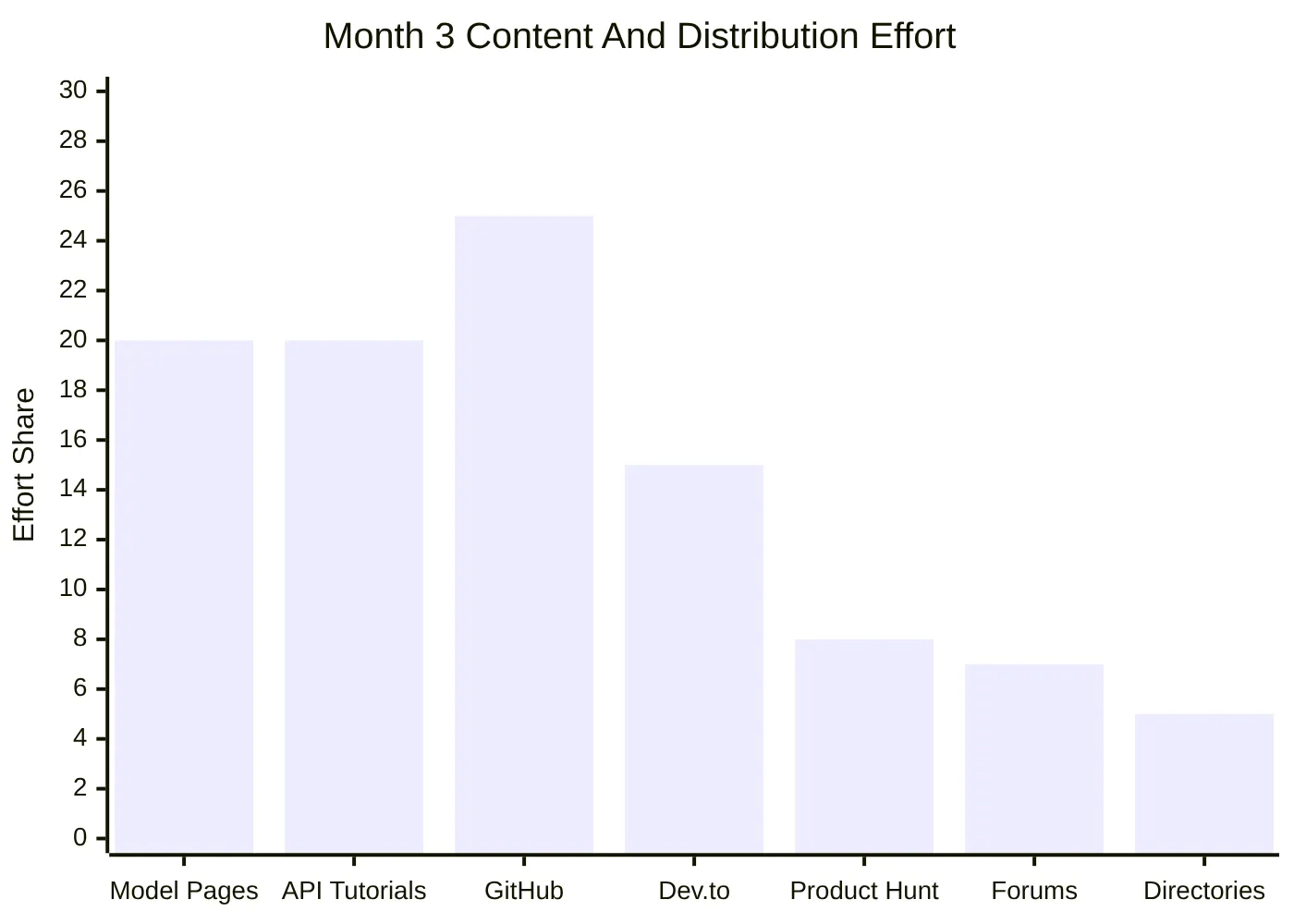
Model pages
A models page should help developers evaluate available models through the product.
Minimum models index fields:
- Model name
- Provider
- Supported capabilities
- Context length, if verified
- Input and output modalities, if verified
- Pricing information, if available and current
- Routing availability
- Example request
- Docs link
- Last updated date
Model detail pages should not be copied from provider descriptions. Add product-specific value.
Model page template:
| Section | Required content |
|---|---|
| Model summary | Supported use case and capability |
| Access method | API endpoint or docs path |
| Routing notes | How the model can be selected |
| Pricing notes | Cost or billing logic |
| Limitations | Known constraints |
| Example | Simple API call |
| Related models | Internal links to alternatives |
| Next step | Docs or pricing link |
Do not index filter pages for every provider, tag, context length, and price range unless each page has unique content and search demand.
API tutorials and integration guides
Developer guides must produce a working result.
Prioritize:
- How to build with one API for multiple AI models
- How to use an OpenAI-compatible API with multiple providers
- How to implement model fallback for LLM apps
- How to route AI requests by cost or latency
- How to compare AI API pricing across models
- How to migrate from OpenRouter-style APIs
- How to use an AI Gateway in a crypto or Web3 app, only if product-relevant
Each tutorial must include:
- Prerequisites
- API key setup
- Install step
- Minimal request
- Model selection
- Error handling
- Fallback test
- Pricing note
- Link to full API reference
- GitHub example
Do not publish a crypto AI API guide unless the product supports that use case. If the product does not support Web3 workflows, omit the page.
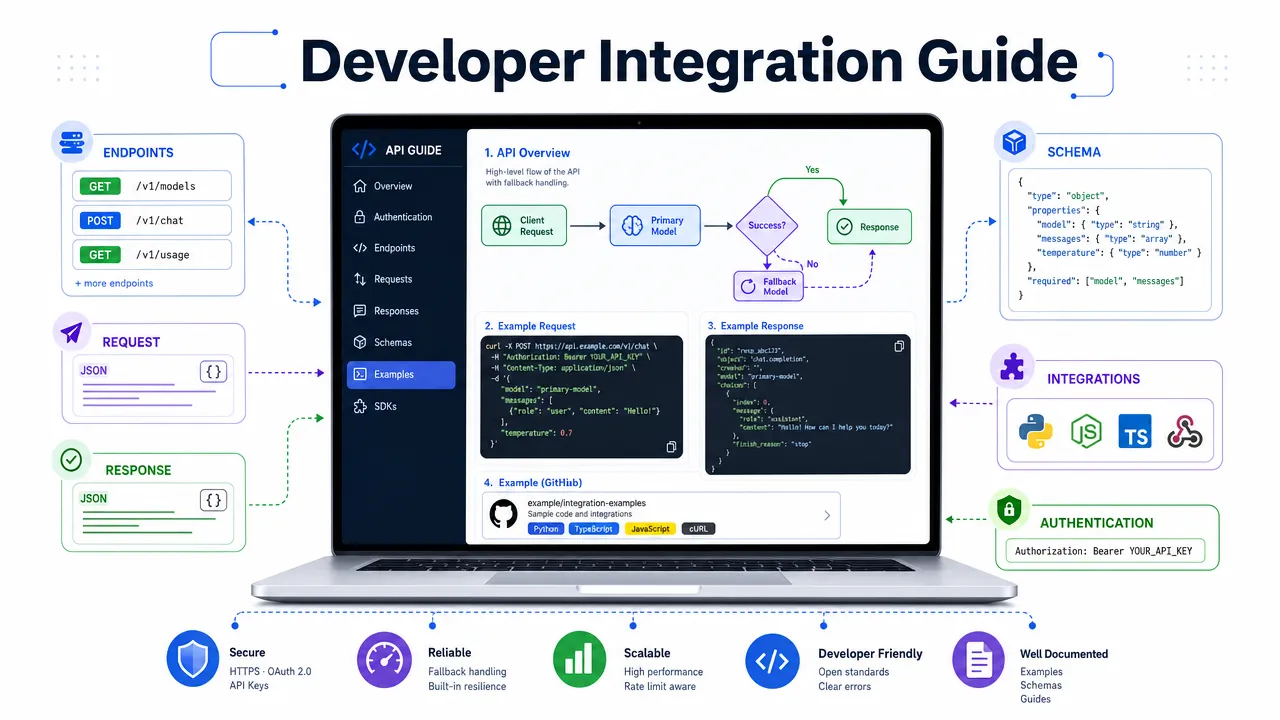
External community signals
External signals should support the website. They should not replace technical SEO or commercial pages.
Use these channels:
| Channel | Best asset | Link rule | Risk |
|---|---|---|---|
| GitHub | Starter repo, SDK sample, working demo | Link to docs and API reference from README | Empty repos reduce trust |
| Dev.to | Technical tutorial | Link to the full guide only when useful | Thin promotional posts get ignored |
| Product Hunt | Launch page and demo | Link to homepage and docs | Launching before onboarding hurts conversion |
| Problem-solving discussion | Link only when directly relevant | Self-promotion rules vary | |
| AI directories | Product listing | Link to homepage or category page | Wrong category weakens relevance |
| Web3 communities | Integration example | Link only to Web3-specific guide | Forced Web3 messaging reduces credibility |
| Developer forums | Answer-first snippets | Link after solving the issue | Drive-by promotion gets removed |
Use GitHub first. Developers trust working code. A README with installation steps, API examples, environment variables, error handling, and links to docs is more useful than a promotional post.
Use Dev.to after a working guide exists. Republish carefully. If the same tutorial exists on the website, use canonical settings where the platform allows it.
Use Product Hunt only after the homepage, docs, pricing, onboarding, and support path are ready.
Use Reddit and forums for research and problem solving. Do not post the same launch message across communities.
For AI visibility and search behavior changes, use SeekLab's AI visibility briefing as a supporting internal reference, but keep the SEO execution grounded in crawlability, pages, documentation, and developer proof.
SEO roadmap for AI startups: Keyword priorities and trust signals
Keyword mapping must assign one primary job to each page. Do not let every page target the same term.
Use this priority map.
| Priority | Keyword | Page type | Intent | Rule |
|---|---|---|---|---|
| Very high | OpenRouter alternative | Alternative page | Commercial comparison | Be honest and evidence-based |
| Very high | AI model router | Category page | Technical commercial | Explain routing logic |
| Very high | OpenAI-compatible API | Docs and landing section | Developer adoption | Show exact compatibility scope |
| Very high | AI API pricing | Pricing page | Buying evaluation | Explain billing clearly |
| Very high | one API for multiple AI models | Homepage, guide, model page | Developer problem | Show working example |
| High | AI gateway | Category page | Category evaluation | Define control layer |
| High | LLM routing | Guide or model router page | Technical research | Use architecture examples |
| Medium-high | model fallback | Tutorial and docs | Implementation | Include failure handling |
| Medium | crypto AI API | Use-case page | Niche commercial | Use only if product-relevant |
| Medium | AI API marketing strategy | Blog or service page | Founder/growth research | Tie to developer proof and pages |
The main keyword for this guide, SEO roadmap for AI startups, belongs to a practical strategy article or service-led guide. It should not be assigned to an AI Gateway product page.
Secondary keywords fit these roles:
- AI gateway SEO: use in sections about technical foundations, category pages, and indexation.
- AI model router SEO: use in routing page strategy and model content.
- OpenRouter alternative SEO: use in comparison page strategy.
- AI API marketing strategy: use in commercial page, docs, and external signal planning.
Developer trust signals must be visible from the homepage, footer, docs, and pricing page.
Required trust signal checklist:
| Trust signal | Required location | Purpose |
|---|---|---|
| Documentation | Main navigation and footer | Shows implementation path |
| API reference | Docs navigation | Confirms endpoint maturity |
| GitHub examples | Docs, footer, guides | Shows working code |
| Status page | Footer and docs | Reduces reliability concerns |
| Changelog | Docs or footer | Shows active maintenance |
| Pricing | Main navigation | Reduces evaluation friction |
| Privacy policy | Footer | Supports data handling review |
| Terms of service | Footer | Supports business review |
| Support contact | Footer, docs, pricing | Provides escalation path |
| Security page | Footer or docs | Needed when handling sensitive data |
Do not make unsupported trust claims. Avoid unverified statements about uptime, certifications, benchmark superiority, data retention, or compliance.
Measurement must start early.
Track:
- Indexed vs submitted URLs
- GSC impressions by page cluster
- GSC queries by intent cluster
- Organic landing pages
- Docs-to-pricing clicks
- Docs-to-signup clicks
- API key creation from organic sessions
- Pricing page visits
- GitHub outbound clicks
- Support contact clicks
- OpenRouter alternative page conversions
- Model page conversions
Use Search Console data to adjust pages. If the AI Model Router page gets impressions for "LLM routing", add a section that answers that intent. If the pricing page gets impressions but low clicks, rewrite the title and meta description. If docs get traffic but no signup clicks, add contextual links to pricing and quickstart steps.
SEO roadmap for AI startups: Avoidance rules and final 90-day checklist
Avoid these execution errors.
| Mistake | Result | Correct action |
|---|---|---|
| Targeting only broad "AI API" terms | Weak relevance and slow traction | Start with high-intent developer queries |
| Publishing only docs | Missed commercial intent | Build docs and commercial pages |
| Copying mature competitors | Thin pages and weak differentiation | Publish fewer pages with stronger proof |
| Creating thin comparison pages | Low trust and poor conversion | Include fit, migration, pricing, limitations, FAQ |
| Ignoring JavaScript rendering | Google may miss content and links | Inspect rendered HTML |
| Blocking docs | Long-tail implementation traffic is lost | Keep public docs crawlable |
| Hiding all pricing | Developers abandon evaluation | Explain pricing logic or contact path |
| Indexing every model filter | Duplicate and thin URL risk | Canonicalize or noindex low-value variants |
| Overpromising SEO timelines | Misaligned expectations | Track crawl, indexation, impressions, conversions |
| Posting irrelevant AI trend content | Low conversion traffic | Publish only product-relevant topics |
| Using unsupported security claims | Trust risk | Publish only verified statements |
| Treating community posts as link building only | Spam risk | Lead with working code and useful answers |
Final Month 1 checklist:
- Verify robots.txt allows homepage, docs, pricing, models, and commercial pages.
- Generate and submit XML sitemap.
- Confirm canonical tags on all core pages.
- Inspect indexation for homepage, docs, pricing, AI Gateway, AI Model Router, FAQ, and OpenRouter alternative pages.
- Test JavaScript rendering for copy, links, code tabs, and pricing tables.
- Check mobile layout for docs, code blocks, pricing, and model cards.
- Run Core Web Vitals checks on core templates.
- Add Organization, WebSite, BreadcrumbList, and relevant Article or FAQ schema.
- Audit duplicate URLs, filters, parameters, and docs versions.
- Confirm docs are crawlable and indexable.
- Create URL slots for all core pages.
- Add footer links to docs, pricing, support, privacy, terms, status, and GitHub.
Final Month 2 checklist:
- Publish AI Gateway page.
- Publish AI Model Router page.
- Publish Pricing page.
- Publish FAQ page or FAQ modules.
- Publish OpenRouter alternative page.
- Add internal links from docs to pricing and commercial pages.
- Add internal links from model pages to docs and pricing.
- Add internal links from FAQ answers to relevant docs.
- Add breadcrumbs where appropriate.
- Validate indexation after publishing.
- Review titles and meta descriptions for intent match.
Final Month 3 checklist:
- Publish models index.
- Publish 5 to 10 high-quality model pages if data is available.
- Publish 3 to 5 developer integration guides.
- Publish API tutorials for fallback, routing, compatibility, and pricing.
- Create GitHub starter repo with working code.
- Publish one Dev.to tutorial based on a working guide.
- Prepare Product Hunt assets only after onboarding is ready.
- Submit to relevant AI directories.
- Participate in Reddit and developer forums without spam.
- Share Web3-specific content only if product capability supports it.
- Review Search Console data and reprioritize pages.
Final page architecture checklist:
| Page | Must exist by day 90 | Main job |
|---|---|---|
| Homepage | Yes | Explain product and route users |
| AI Gateway page | Yes | Capture category intent |
| AI Model Router page | Yes | Capture routing intent |
| Models page | Yes | Support model discovery |
| Pricing page | Yes | Support evaluation |
| Docs | Yes | Support implementation |
| API reference | Yes | Support technical validation |
| FAQ | Yes | Reduce objections |
| OpenRouter alternative page | Yes | Capture comparison intent |
| Status page | Preferred | Reduce reliability concern |
| GitHub examples | Preferred | Prove implementation |
| Changelog | Preferred | Show product activity |
| Security page | Product-dependent | Support sensitive data review |
Final internal linking rules:
- Homepage links to AI Gateway, AI Model Router, Pricing, Docs, Models, FAQ, and OpenRouter alternative pages.
- Docs link to Pricing, Models, API reference, Status, Support, and relevant commercial pages.
- Pricing links to FAQ, Terms, Privacy, Docs, and Support.
- OpenRouter alternative page links to migration docs, pricing, FAQ, and model routing content.
- Model pages link to the model index, pricing, docs, and related models.
- Guides link to API reference, GitHub examples, and commercial pages where relevant.
The first 90 days should produce a technically accessible site, a clear commercial page set, a keyword map tied to search intent, and working developer proof. That is the correct SEO roadmap for AI startups before scaling content volume or competing for broad AI terms.
For execution support, use SeekLab's technical SEO and AI visibility audit services to review crawlability, indexation, page speed, structured data, search intent coverage, and commercial page structure for an AI infrastructure website.